Latest Storage How-To Stories
SEE STORAGE STORIES BY CATEGORY
Tip
USB drive not recognized in Windows 11? Here's how to fix it
If a USB stick isn't recognized in Windows 11, it's usually due to drivers or settings, and can often be fixed in just a few simple steps.
How-To
Replace your Windows SSD the easy way, and save hours of setup time
Reinstall Windows before upgrading to an SSD? No need: With a network image, you can back up your system, programs, and settings in just a few steps.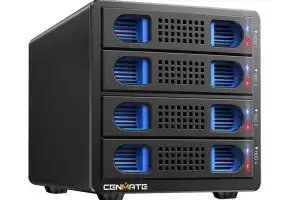
Tip
Your secret weapon for the storage apocalypse
Why pay store prices for storage when there are thousands of cheap used drives already on the market? A hard-drive dock or enclosure is how to turn cheap Facebook finds into PC storage options.
How-To
4 PC parts you should never skimp on
When it comes to core components, it pays not to cut corners.
How-To
Keep your photos private! Set up your own at-home NAS cloud alternative
Don't entrust your photos to large cloud storage services. Use a NAS as a private cloud to keep your photos safe, secure, and backed up.
Tip
This hidden Windows 11 trick unlocks SSD speed boost for NVMe drives
Microsoft recently added a new feature that gives a significant performance boost to certain SSDs. However, there's a caveat.
How-To
How to detect a fake SSD or flash drive before you get burned
A lot of capacity for little money? With every generation of flash data carriers, counterfeit cheat packs also come onto the market. Even renowned hard disk manufacturers are not always completely honest.
How-To
Get your PC 2026-ready with these 9 key upgrades
How to get more performance out of your PC in the new year: The best upgrade tips for SSD, RAM, CPU, graphics card and more.How-To
Why two SSDs are better than one in your PC
Most Windows PCs come with just one SSD. That may work for most people, but if you're really looking to boost your speed and free up bandwidth, then you should consider using two SSDs instead of one.
Tip
Gamers, this is the RAM you want in your PC
The variety of RAM on offer nowadays can make your head spin. But it's quite simple for PC gamers, currently only this certain RAM configuration makes sense.
Tip
Drives, images, and virtual disks: A guide to storage terms & concepts
Terms like hard disk, drive, partition, and image are often confusing. Knowing the difference saves time and avoids errors during setup, installation, and backup.
How-To
How to check the age of your hard drive (and why it matters)
f you're using a second-hand drive or one that's been in use for years, it’s worth checking its age.
Tip
Why helium-filled hard drives outperform traditional HDDs
The use of helium in mechanical hard drives has revolutionized storage technology. But is it really the better choice for all applications?
Feature
Is USB or Thunderbolt better for portable SSDs? The key differences, explained
A look at the various external storage options: Which is fastest, which is most compatible, which is the most affordable and… which one you should buy?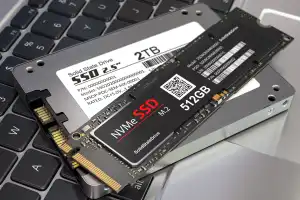
How-To
6 easy tweaks that maximize your SSD's performance
Use these tips and tweaks to boost your SSD's speed and wring every last drop of performance out of it.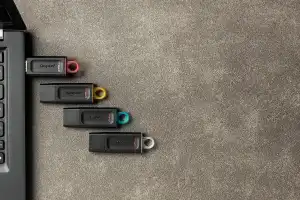
How-To
How long does data last on a USB flash drive? It's complicated
You have important data that you need to keep safe. A USB flash drive seems to be the perfect solution. But how long do they last?
How-To
Yes, you can still use floppy disks with Windows 11! Here's how
If you need to, it's entirely possible to read and write to floppy disks with a modern PC or laptop. Here's everything you need to know.
How-To
How to properly wipe your laptop data before getting rid of it
Worried about privacy? Here's what you need to do before you sell, give away, or dispose of your laptop.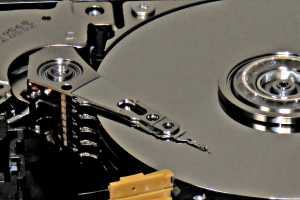
How-To
How to extend the life of your hard drive
Under ideal conditions, hard drives can work for many years. However, various factors influence their service life.
Tip