Latest Gaming How-to Stories
SEE LATEST GAMING STORIES BY CATEGORY
Tip
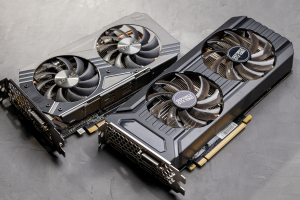
GPU running hot? How to diagnose and fix it yourself
Before you replace your graphics card, try these fixes: clean cooling, better airflow, fresh thermal paste, and a smarter fan curve.
Try This
Your mouse's scroll wheel can do way more than you think
Open, close, and manage tabs faster with these simple middle-click shortcuts and tricks.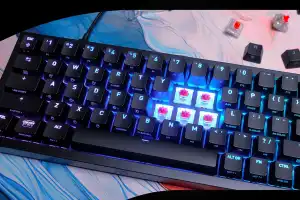
Tip
Why you should mix your mechanical keyboard switches
Mechanical keyboards allow different switch types to be mixed. This allows the typing feel to be specifically adjusted and improves comfort, precision and speed.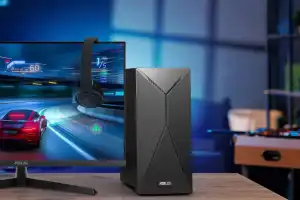
Tip
Boost GPU performance in Windows 11 with this quick setting
Windows 11 offers a hidden option for smoother graphics rendering with hardware-accelerated GPU scheduling. It can reduce latency and improve system responsiveness.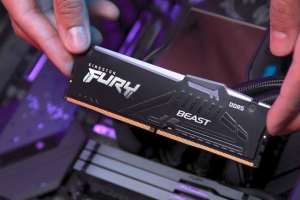
How-To
Don't let RAM clearance wreck your PC build
When building a PC, many factors must be considered, but one is often overlooked: the space around the RAM slots.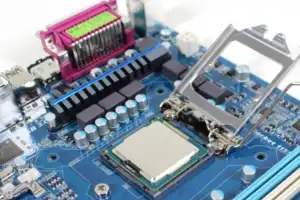
How-To
BIOS updates: Should you bother?
BIOS and UEFI control the basic functions of the PC. Updating them is risky, but can bring important benefits.
How-To
These hardware hacks turn your gaming mouse into a whole new beast
With careful tweaks, a gaming mouse can be optimized for better precision and comfort.
Tip
Level up your gaming with peripherals that make a real difference
Not every upgrade noticeably enhances gaming fun, but some hardware improvements deliver immediate impact and stay impressive over time.
How-To
Get your PC 2026-ready with these 9 key upgrades
How to get more performance out of your PC in the new year: The best upgrade tips for SSD, RAM, CPU, graphics card and more.
How-To
How to turn a USB flash drive into a portable games console
Here's how to turn a USB flash drive into a portable game console for next to nothing.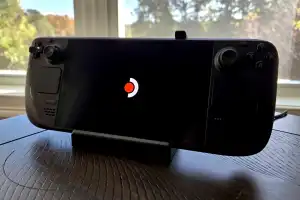
How-To
DIY Steam Machine: How I turned my Steam Deck into a gaming console
Until the new Steam Machine arrives, this Steam Deck setup for my TV is more than enough to tide me over.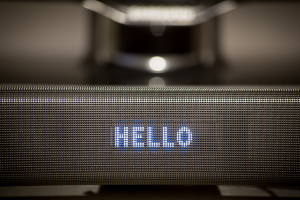
How-To
No sound in the video conference? How to fix audio problems under Windows
Quickly fix audio problems in Windows yourself! Our guide takes you through the 7 most important fixes: from sound settings to mute switches and driver management.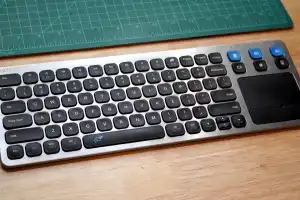
Tip
I hate typing with a TV remote. That's why I love this nifty $36 gadget
It even has a built-in trackpad, which takes it up another level. Everyone with a smart TV should have one of these.
Tip
You can still get Xbox Game Pass Ultimate for $20, if you hurry
If you know where to look, you can load up on Xbox Game Pass cards and codes at the pre-hiked price.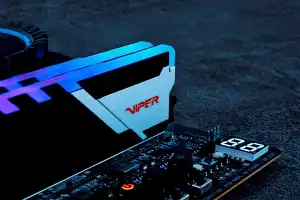
Tip
Gamers, this is the RAM you want in your PC
The variety of RAM on offer nowadays can make your head spin. But it's quite simple for PC gamers, currently only this certain RAM configuration makes sense.
How-To
Your OLED display’s worst enemy: burn-in. Here’s how to fight back
OLED displays are becoming increasingly popular. However, many buyers fear unsightly burn-in effects. With the right measures, you can extend the life of your OLED screen.
Tip
Mouse acceleration wrecks PC gaming. Here's how to turn it off
Windows 11 mouse acceleration adjusts the pointer’s movement based on the mouse speed. This can be useful for office tasks, but it can become a hindrance when precision is needed, such as during gaming.
Tip
How Ryzen's Precision Boost Overdrive supercharges your AMD processor
If you’re using an AMD Ryzen processor and haven’t activated Precision Boost Overdrive (PBO), you could be missing out on performance.
Reviews
I switched my $180 Razer Naga for this $40 mouse—and I love it
The Solakaka SM809 has a regrettable name, but it does everything I wanted the Naga Pro to do.
How-To