
Sponsored by Dell
The Dell 2026 buying guide: Laptops, monitors & Alienware gaming gear
A guide to Dell’s laptop, monitor and Alienware gaming ranges, including key features, who each range suits, and links to current Dell UK deals.
Published by PCWorld on 18 February, 2026.
Dell is a long-established global computer manufacturer, selling laptops, desktops, monitors and accessories directly to consumers through its UK website, with free delivery on eligible products. Its range includes everyday productivity devices, premium laptops designed for work and creativity, and dedicated gaming hardware under the Alienware brand.
If you’re trying to choose between premium XPS models, more affordable Dell consumer laptops, or Alienware gaming machines, this guide explains Dell’s main product ranges and how they differ.
We cover the key features to look for, who each range suits best, and where to find current Dell UK offers, including promotions available through Dell’s own online store such as student discounts. Buying direct from Dell UK can also provide access to official warranties, support options and configuration choices that vary by product.
Dell
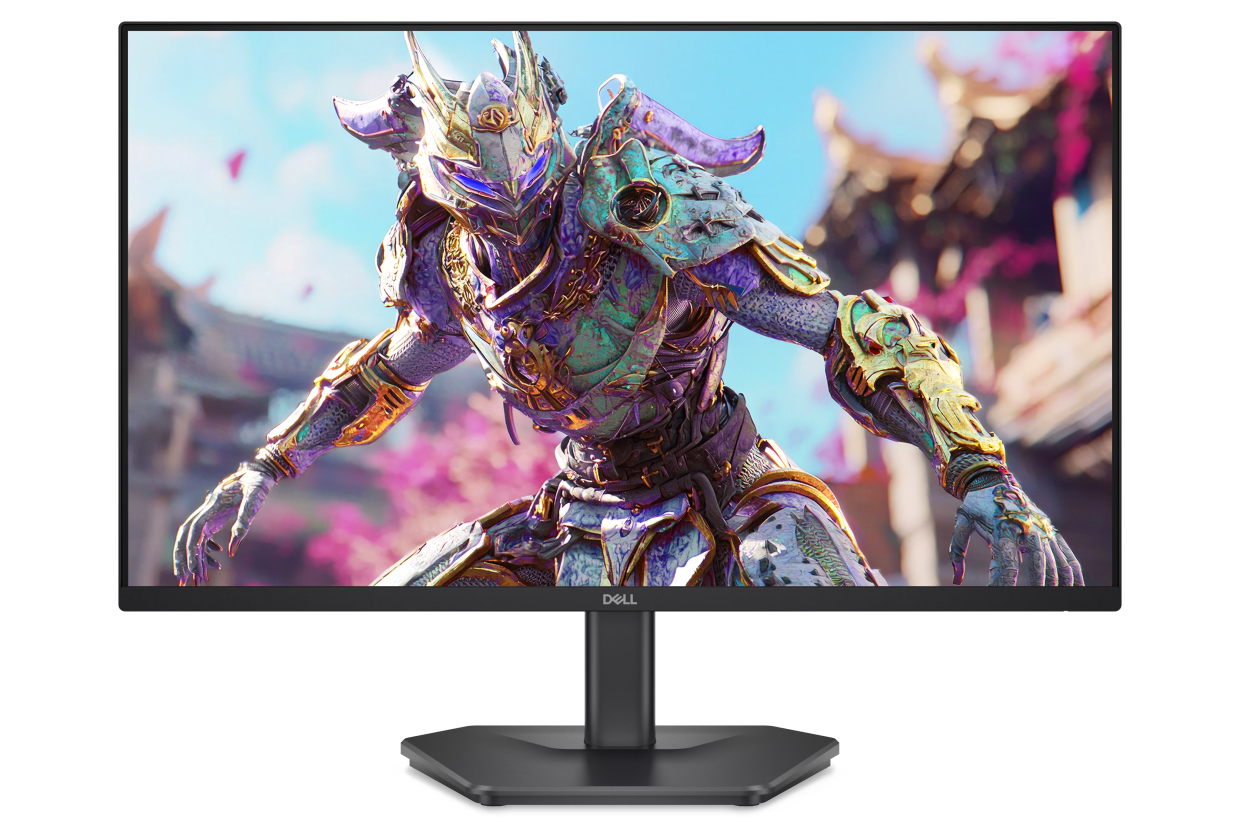
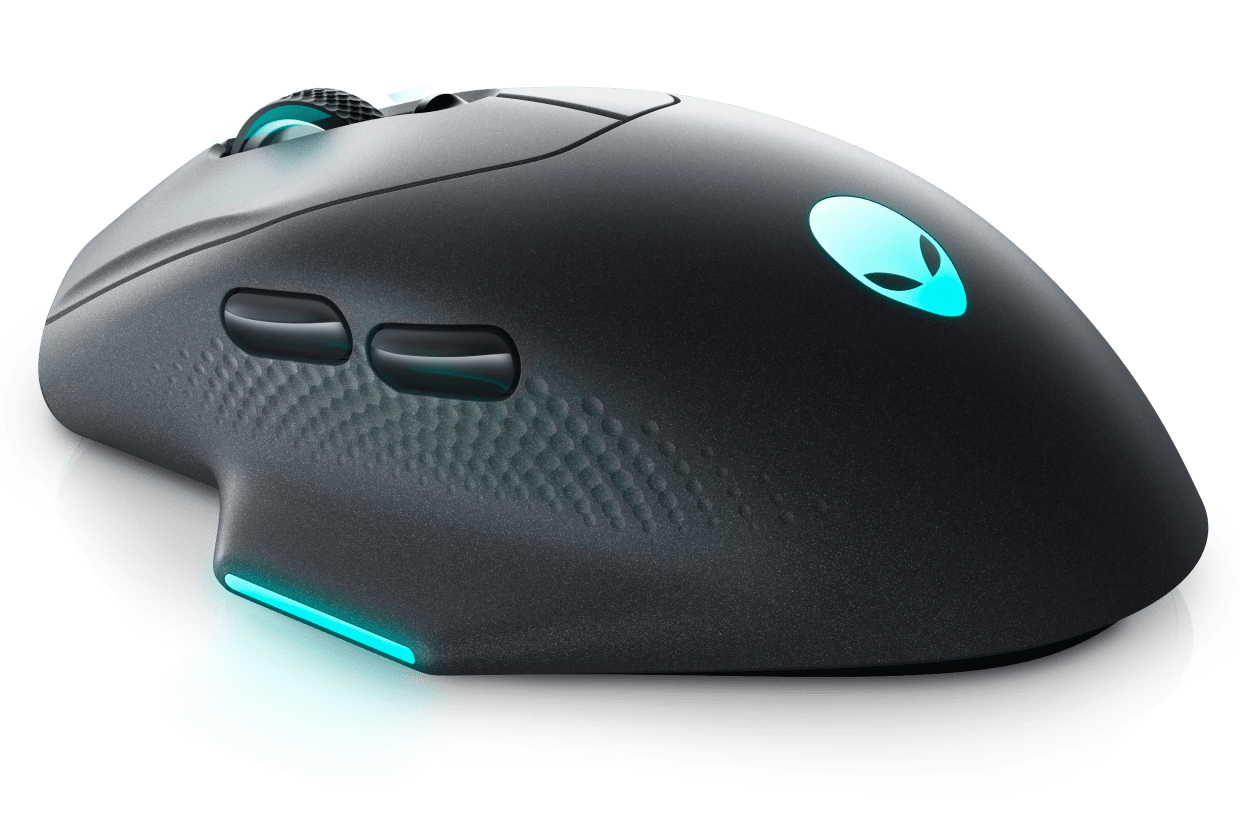
Dell 2026 consumer range for productivity, creativity, gaming and everyday use
| Product range | Best for | Key features to look for | Learn more |
|---|---|---|---|
| Dell XPS laptops | Premium productivity, creative work | Battery life, premium display, portability | Browse Dell XPS laptops |
| Dell consumer notebooks | Everyday home and study | Value, SSD size, CPU options | Browse Dell consumer notebooks |
| Dell monitors | Home working and multitasking | Eye comfort, refresh rate, USB-C | Browse Dell monitors |
| Dell Pro Plus Earbuds | Calls and hybrid work | ANC, mic noise reduction | Browse Dell earbuds |
| Alienware gaming laptops | High-performance gaming | GPU, cooling, screen refresh | Browse Alienware gaming laptops |
| Alienware desktops | High-end gaming at home | Thermals, upgradability | Browse Alienware gaming desktops |
| Alienware monitors | Competitive and immersive gaming | OLED/QD-OLED, refresh rate | Browse Alienware gaming monitors |
| Dell PC accessories | Complete gaming setup | Mouse DPI, headset drivers, keyboard switches | Browse Dell PC accessories |
Dell XPS laptops – for premium work, study and creative tasks
Dell
XPS is Dell’s premium consumer laptop range, designed for users who want strong build quality, display options and performance for work, study and creative tasks.
Why buy a Dell XPS laptop?
Choose XPS if you want a premium laptop for productivity and creative work, without the size and weight of gaming laptops.
Who it’s for
– Professionals who want a premium laptop for work
– Students who want a high-end, long-lasting device
– Creators who value a strong display and a refined build
Who it’s not for
– Buyers prioritising the lowest price
– Users who want a gaming-first laptop with high-end graphics
Featured products:
Dell 14 Premium Laptop (CNDA1425005CC)
A premium 14.5-inch laptop built for productivity with a high-brightness variable-refresh display in a portable chassis.
– Intel Core Ultra 7 255H (16-core, up to 5.1GHz)
– Windows 11 Home
– Intel Arc graphics
– 32GB LPDDR5X (6400MT/s) and 512GB PCIe NVMe SSD
– 14.5-inch 2K non-touch display (30-120Hz, 500 nits)
– Backlit UK keyboard with fingerprint reader£1,599 £1,399 inc VAT (£200 off)
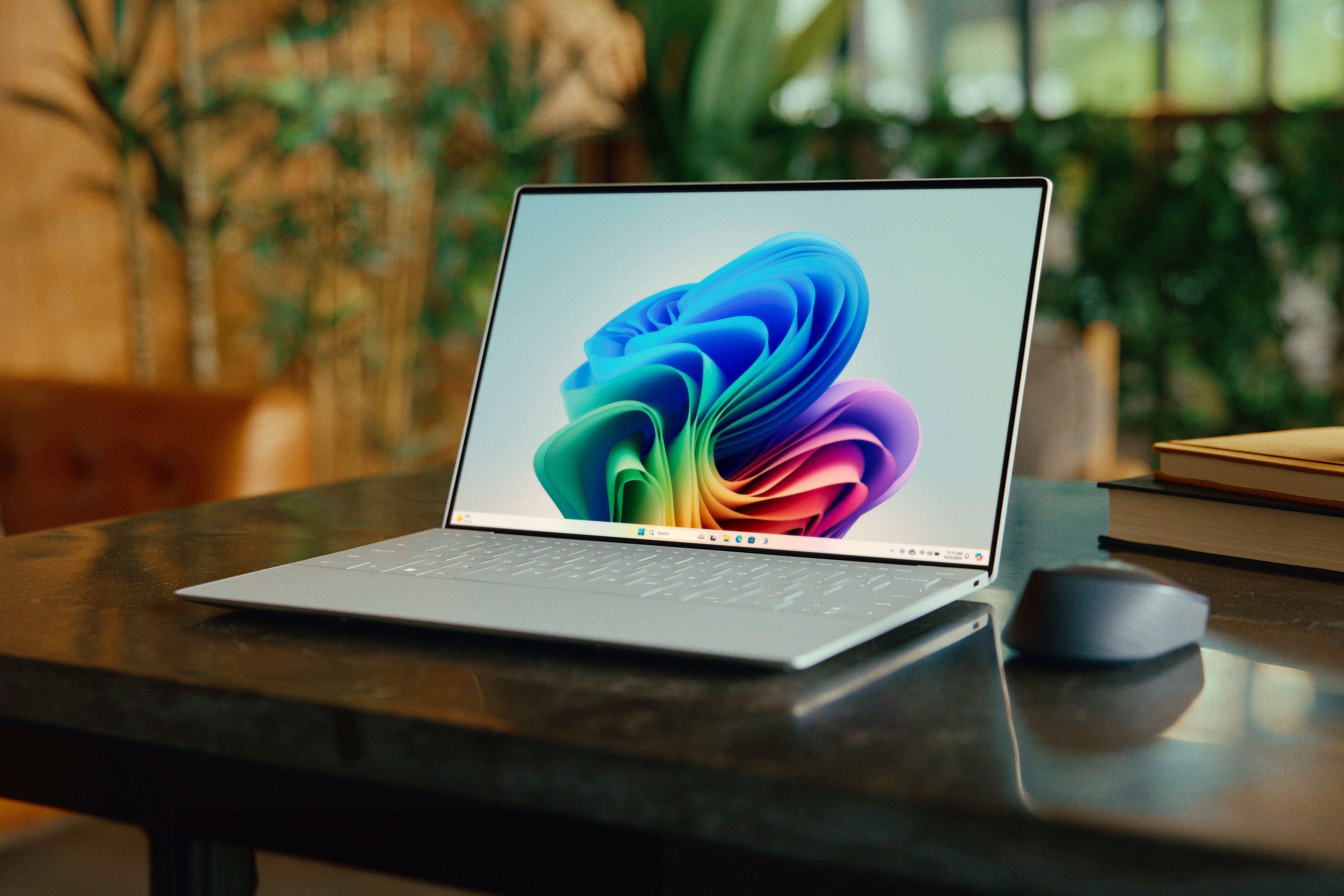
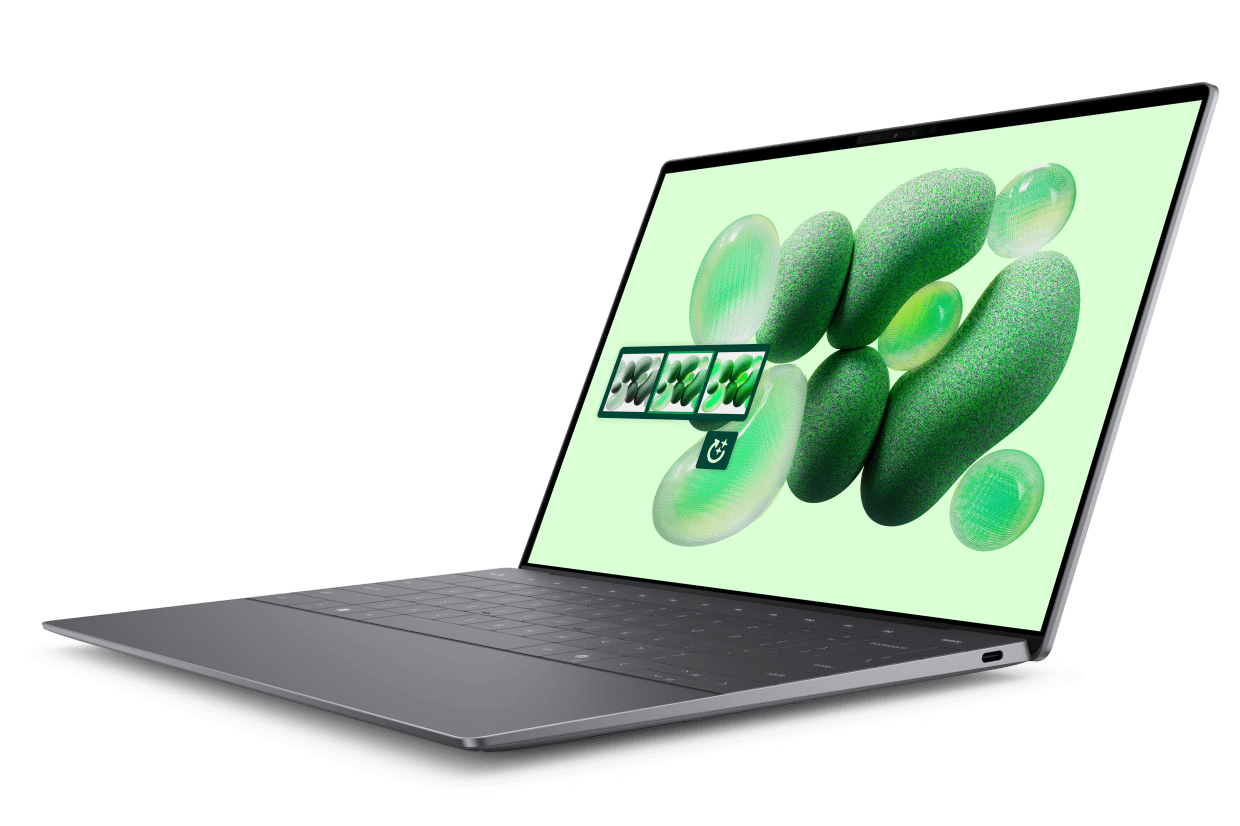
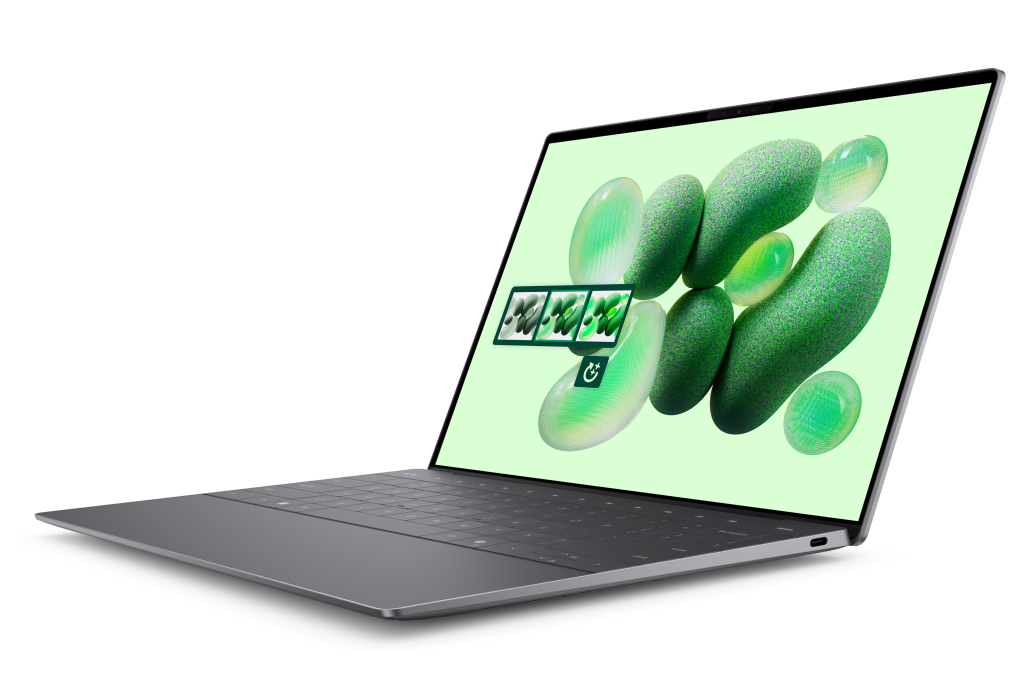
XPS 13 Laptop (CN93811CC) – pictured
A compact Copilot+ laptop with the Snapdragon X Elite processor and a touch OLED display.
– Snapdragon X Elite X1E-80-100 (12-core, up to 4GHz; NPU up to 45 TOPS)
– Windows 11 Home (Copilot+ PC)
– Qualcomm Adreno graphics
– 32GB LPDDR5X (8448MT/s) and 512GB PCIe NVMe SSD
– 13.4-inch 3K OLED touch display (400 nits)
– Backlit UK keyboard with fingerprint reader
£1,449 inc VAT
Dell consumer notebooks – for everyday productivity, browsing and streaming
Dell
Dell’s mainstream laptops are designed for everyday productivity, browsing, streaming and general home use at accessible prices.
Why buy a Dell consumer notebook?
Choose this range if you prioritise value and a flexible hardware configuration.
Who it’s for
– Families and home users
– Students looking for value
– Users who want a general-purpose laptop for daily tasks
Who it’s not for
– Buyers who want a premium design-first laptop
– Users who need gaming-grade graphics
Featured products:
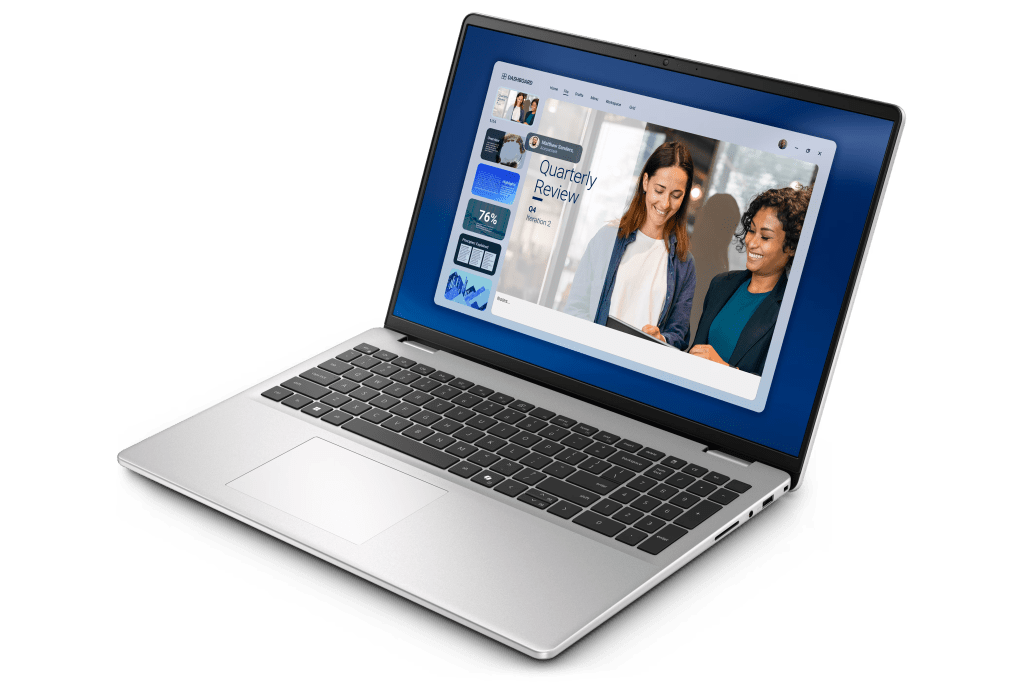
Dell 16 Laptop (CNDC1625601SC)
A 16-inch everyday laptop designed for general productivity with a 2K anti-glare display.
– AMD Ryzen 7 250 (8-core, up to 5.1GHz)
– Windows 11 Home
– AMD Radeon graphics
– 16GB DDR5 (5600MT/s) and 1TB PCIe NVMe SSD
– 16-inch 2K (1920×1200) anti-glare IPS display (300 nits)
– Backlit UK Copilot-key keyboard with numeric keypad£899 £599 inc VAT (£300 off)
Dell 16 Laptop (BNDC1625003SB)
A good-value 16-inch laptop that includes Windows 11 Pro and a 2K ComfortView display.
– Intel Core 5 120U (10-core, up to 5.0GHz)
– Windows 11 Pro
– Intel Graphics
– 16GB DDR5 (5200MT/s) and 512GB PCIe NVMe SSD
– 16-inch 2K (1920×1200) anti-glare IPS display (300 nits, ComfortView)
– Backlit UK Copilot-key keyboard with numeric keypad£749 £569 inc VAT (£180 off)
Dell 16 Laptop (CNDC1625603SC)
A 16-inch Copilot+ laptop with an AMD Ryzen AI processor, plus plenty of memory and storage.
– AMD Ryzen AI 7 350 (8-core, up to 5.0GHz; 50 TOPS NPU)
– Windows 11 Home (CoPilot+ PC)
– AMD Radeon graphics
– 32GB DDR5 (5600MT/s) and 1TB PCIe NVMe SSD
– 16-inch 2K (1920×1200) anti-glare IPS display (300 nits)
– Backlit UK Copilot-key keyboard with numeric keypad£1,149 £849 inc VAT (£300 off)
Dell monitors – for home office setups, multitasking and eye comfort
Dell
Dell monitors include both productivity-focused and high-refresh displays, designed for home offices, multitasking and smoother motion.
Why buy a Dell monitor?
A monitor upgrade can be one of the most noticeable improvements for home working and multitasking.
Who it’s for
– Home workers and students
– Multitaskers who want more screen space
– Users who want a dedicated display for laptop docking
Who it’s not for
– Buyers who only need a laptop screen
– Competitive gamers looking for OLED models
Featured products:
Dell 24 240Hz Monitor (SE2426HG)
A Full HD IPS monitor built for smoother motion and fast refresh gaming.
– 23.8-inch IPS (1920×1080)
– 240Hz refresh rate
– Response time: 0.5ms GTG (Extreme Mode)
– Ports: 2x HDMI and 1x DisplayPort 1.4
– AMD FreeSync Premium and HDR10 support
– TÜV Rheinland Eye Comfort 3-star
£99 inc VAT
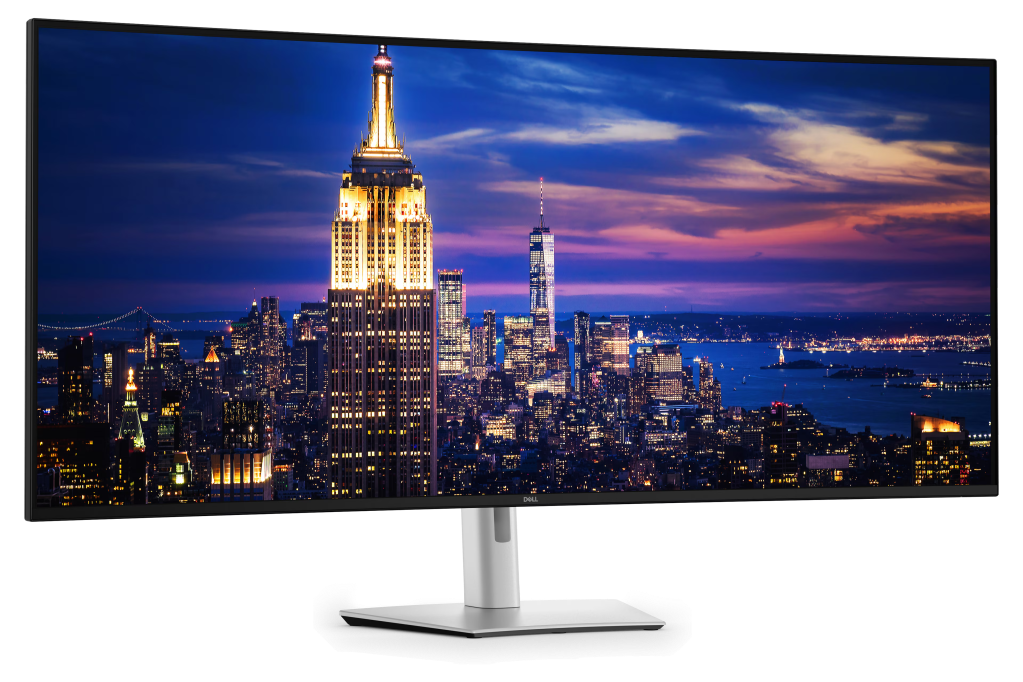
Dell UltraSharp 52 Thunderbolt Hub Monitor (U5226KW) – pictured
A 6K ultrawide IPS Black monitor with Thunderbolt 4 docking and pro-grade colour.
– 51.5-inch curved ultrawide (6144×2560)
– Up to 120Hz refresh rate
– Thunderbolt 4 docking (up to 140W power delivery) and 2.5GbE
– Colour: 99% DCI-P3 and 100% sRGB
– Built-in USB hub and KVM switch
– 3-year advanced exchange and premium panel exchange
£2,571.60 inc VAT
Dell Pro Plus Earbuds – for work calls, commuting and noise reduction
Dell
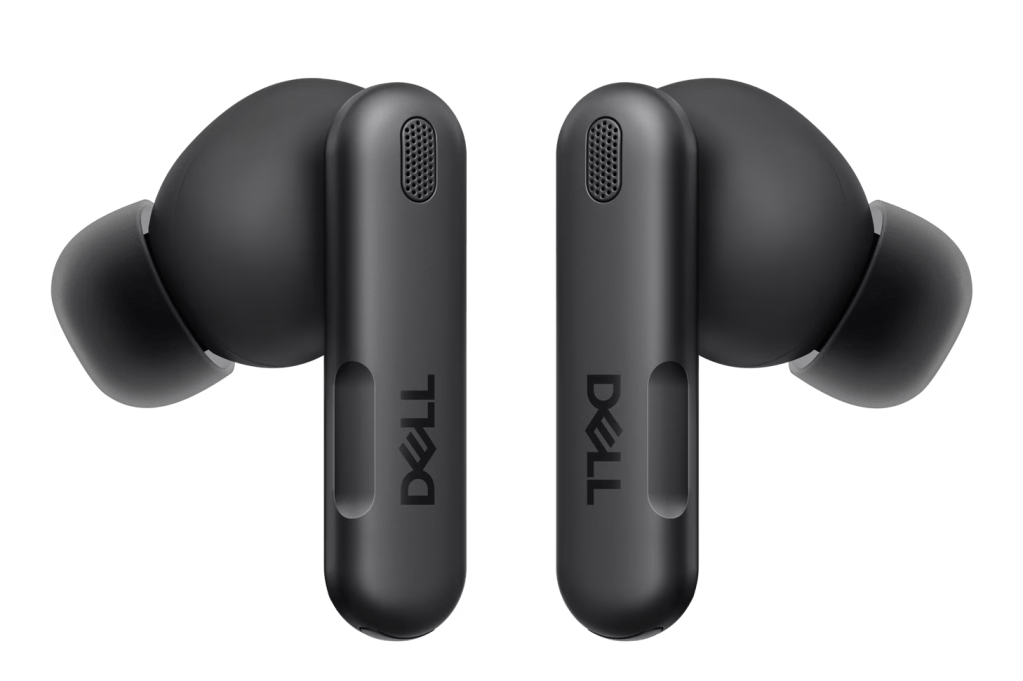
Dell Pro Plus Earbuds are designed for calls and hybrid working, with features aimed at clearer voice pickup in noisy environments.
Why buy Dell Pro Plus Earbuds?
If you’re on calls daily, earbuds with strong mic noise reduction can be more impactful than a general-purpose pair.
Who it’s for
– People who take a lot of work or study calls
– Hybrid workers who need clearer voice quality in noisy environments
– Commuters who want noise reduction for travel
– Users who want a simple wireless audio option
Who it’s not for
– Buyers looking for over-ear headphones for maximum isolation
– Users who don’t need call-focused features and just want basic earbuds
– Audiophiles prioritising studio-style sound tuning over call performance
Featured products:
Dell Pro Plus Earbuds (EB525)
True wireless earbuds designed for work calls, with adaptive ANC and Teams/Zoom certification.
– Bluetooth 5.3 true wireless (up to 30m range)
– Adaptive Active Noise Cancellation (ANC) and AI features
– Battery: up to 8 hours (earbuds) / up to 33 hours (with case), ANC on
– Teams and Zoom certified; multipoint (2 simultaneous connections)
– IP54 dust and water resistance
– 2-year limited warranty£209.08 £177.72 inc VAT (£31.36 off)
Alienware gaming laptops – for high-performance PC gaming anywhere
Dell
Alienware is Dell’s gaming-focused brand, designed for high-performance gaming laptops, desktops and displays. Alienware gaming laptops are built for performance-first PC gaming, with a focus on graphics power, cooling and immersive screens.
Why by an Alienware gaming laptop?
Choose Alienware if gaming performance matters more than portability or all-day battery life.
Who it’s for
– Gamers who want a powerful laptop setup
– Competitive players who want high refresh rates
– Users who want a gaming-first experience
Who it’s not for
– Buyers prioritising portability or all-day battery
– Users who mainly do light tasks and want a smaller laptop
Featured products:
Alienware 18 Area-51 Gaming Laptop (AA18250_CTO4)
A flagship 18-inch gaming laptop with a 300Hz display and top-tier RTX graphics.
– Intel Core Ultra 9 275HX (24-core, up to 5.4GHz)
– Windows 11 Home
– NVIDIA GeForce RTX 5090 (24GB GDDR7)
– 64GB DDR5 (6400MT/s) and 2TB Gen5 PCIe NVMe SSD
– 18-inch WQXGA display (300Hz, 500 nits, 100% DCI-P3, G-SYNC)
– Per-key AlienFX RGB UK keyboard£5,399 £4,699 inc VAT (£700 off)
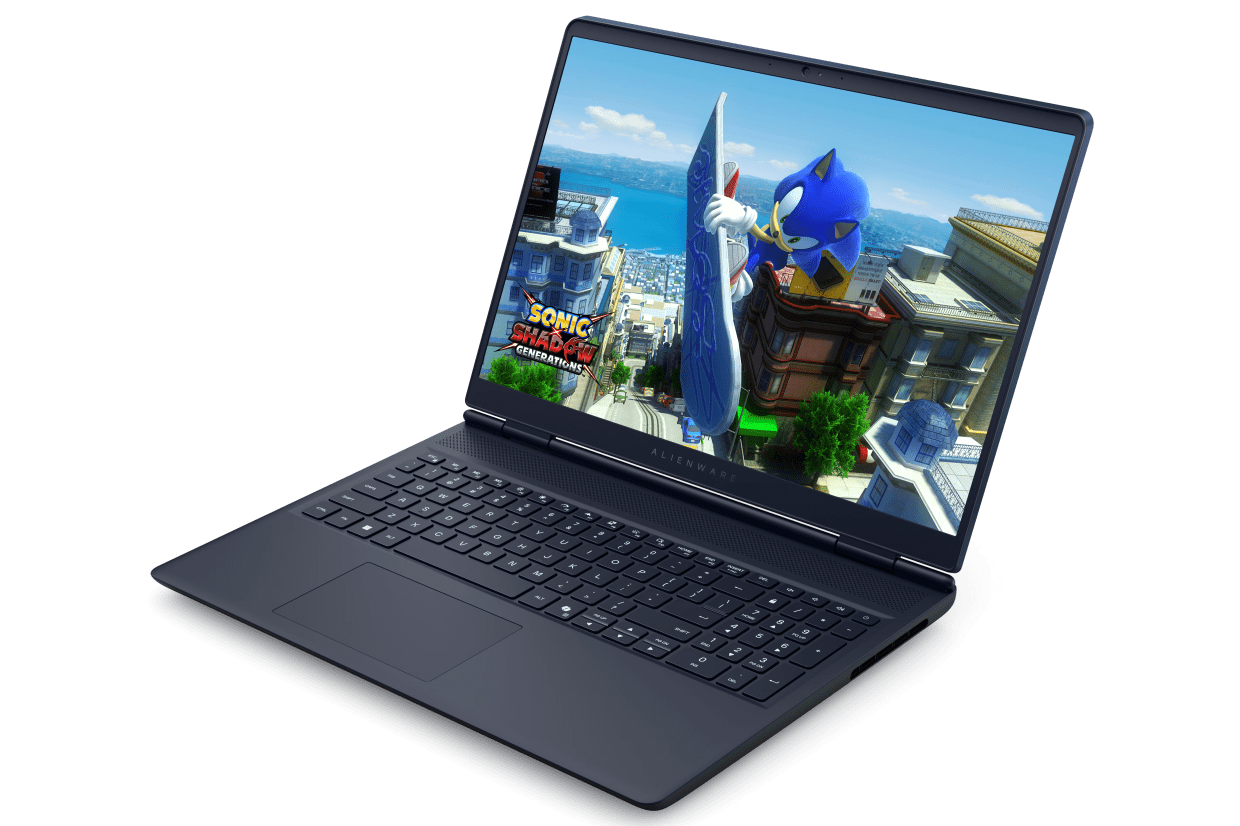
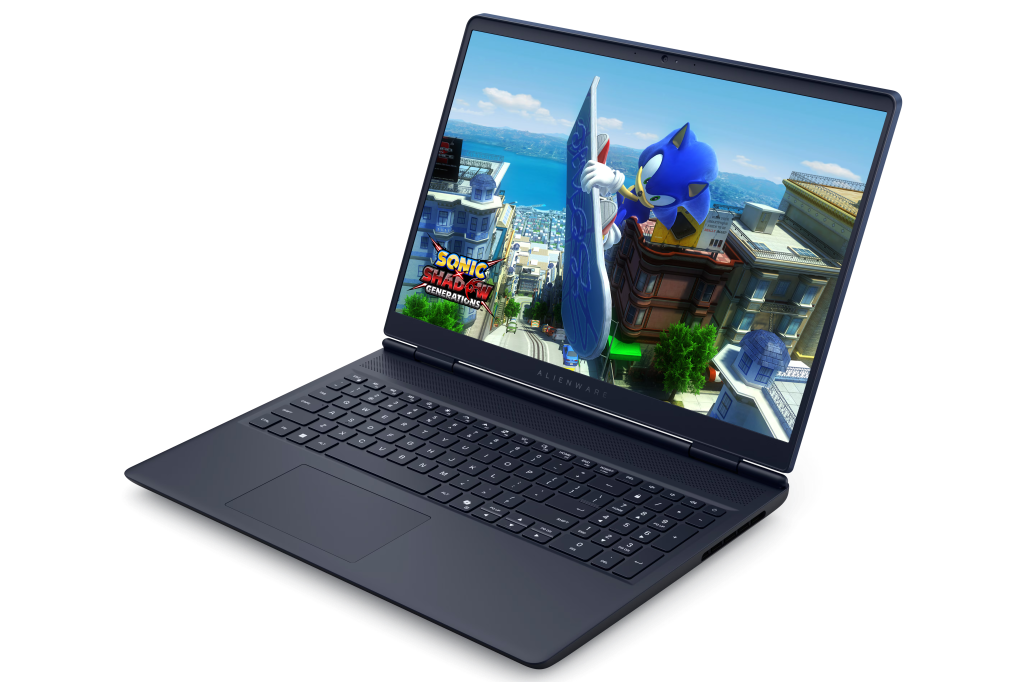
Alienware 16 Aurora Gaming Laptop (NAC1625006SC) – pictured
A 16-inch gaming laptop tuned for smooth 120Hz play at WQXGA resolution.
– Intel Core 7 240H (10-core, up to 5.2GHz)
– Windows 11 Home
– NVIDIA GeForce RTX 5060 (8GB GDDR7)
– 32GB DDR5 (5600MT/s) and 1TB PCIe NVMe SSD
– 16-inch WQXGA display (120Hz, 300 nits, 100% sRGB)
– Backlit UK keyboard£1,599 £1,449 inc VAT (£150 off)
Alienware 16X Aurora Gaming Laptop (NAC1625107SC)
A higher-spec 16-inch gaming laptop with a 240Hz wide-gamut display.
– Intel Core Ultra 9 275HX (24-core, up to 5.4GHz)
– Windows 11 Home
– NVIDIA GeForce RTX 5070 (8GB GDDR7)
– 64GB DDR5 (5600MT/s) and 2TB PCIe NVMe SSD
– 16-inch WQXGA display (240Hz, 100% DCI-P3, G-SYNC)
– AlienFX RGB UK keyboard£2,849 £2,549 inc VAT (£300 off)
Alienware gaming desktops – for powerful home gaming and streaming
Dell
Alienware gaming desktops are designed for high-performance home gaming, often prioritising thermals, airflow and lower-noise operation.
Why buy an Alienware gaming desktop PC?
If you mainly play at home, an Alienware desktop can deliver strong gaming performance without the trade-offs typically required to achieve smaller, easily portable laptop designs.
Who it’s for
– Gamers who play mainly at home and want maximum performance
– Streamers or creators who want strong performance
– Users who prefer a desktop setup for long sessions
– Buyers who want a gaming system designed as a complete package
Who it’s not for
– People who need portability
– Users with very limited desk space
– Buyers looking for the lowest-cost entry point into PC gaming
Featured products:
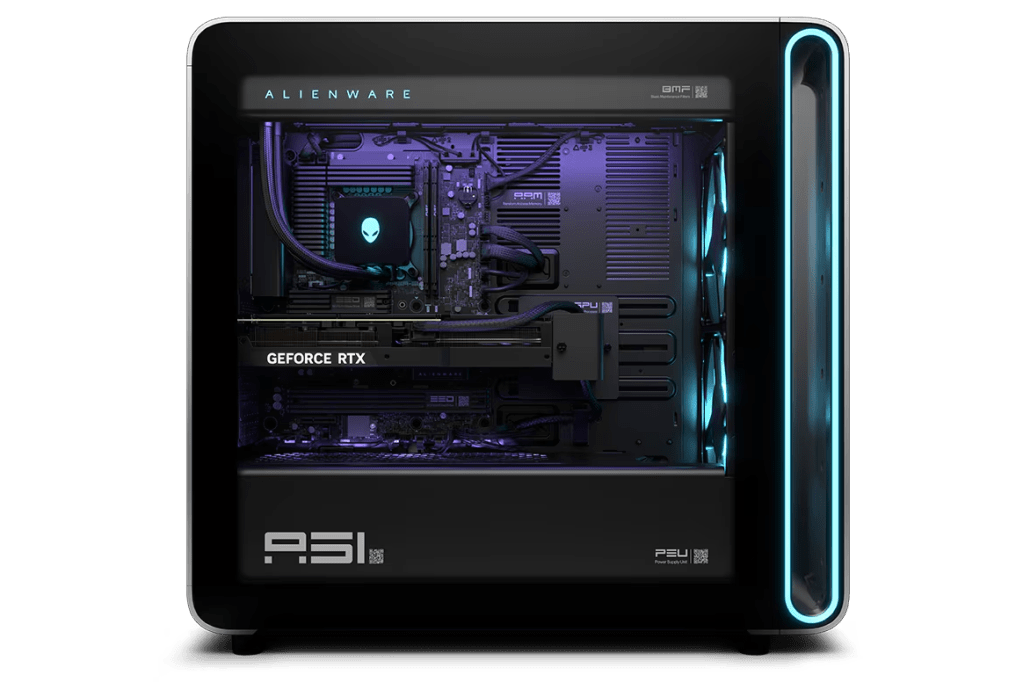
Alienware Area-51 Gaming Desktop (AAT2250_CTO3) – pictured
A high-end desktop PC that pairs a K-series Core Ultra CPU with RTX 5070 graphics and liquid cooling.
– Intel Core Ultra 7 265K (20-core, up to 5.5GHz)
– Windows 11 Home
– NVIDIA GeForce RTX 5070 (12GB GDDR7)
– 16GB DDR5 (5600MT/s) and 1TB PCIe Gen5 NVMe SSD
– 850W Gold PSU and 240mm liquid CPU cooling
– Tempered glass door
£2,899 inc VAT
Alienware Aurora Gaming Desktop (ACT1250_CTO10)
A gaming desktop PC built around an Intel Core Ultra 7 processor with RTX 5060 graphics and liquid cooling.
– Intel Core Ultra 7 265F (20-core, up to 5.3GHz)
– Windows 11 Home
– NVIDIA GeForce RTX 5060 (8GB GDDR7)
– 16GB DDR5 (5200MT/s) and 1TB PCIe NVMe SSD
– 500W Platinum PSU and 240mm liquid CPU cooling
– Clear door with AlienFX lighting
£1,749 inc VAT
Alienware gaming monitors – for high refresh rates and QD-OLED gaming
Dell
Alienware gaming monitors are designed for competitive and immersive play, including high refresh rates and QD-OLED options on supported models.
Why buy an Alienware gaming monitor?
If you’re buying a high-end gaming PC, a high-refresh monitor can be one of the most noticeable upgrades to your gaming experience.
Who it’s for
– Competitive gamers who prioritise refresh rate and responsiveness
– Players who want a more immersive monitor upgrade
– Users building a full Alienware setup
– Gamers who want OLED-style contrast and visual impact
Who it’s not for
– Buyers who only need a basic second screen for office tasks
– People who don’t game enough to justify a gaming-first display
– Users who want the cheapest monitor option
Featured products:
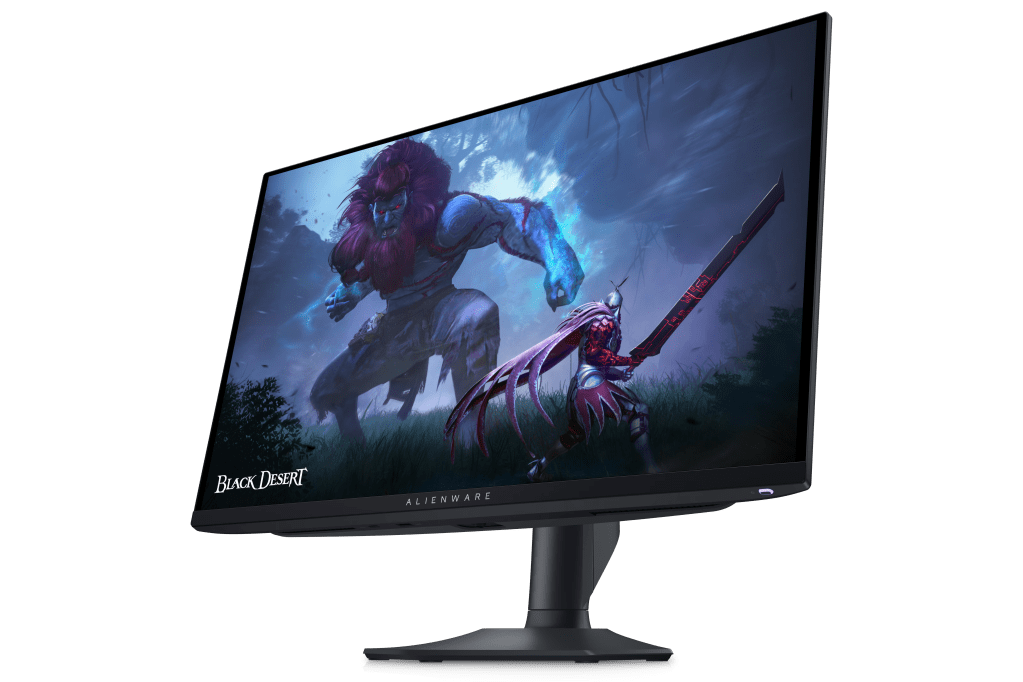
Alienware 27 360Hz QD-OLED Monitor (AW2725DF) – pictured
A QD-OLED QHD monitor aimed at competitive play with ultra-fast response.
– 26.7-inch QD-OLED (2560×1440)
– 360Hz via DisplayPort (144Hz via HDMI)
– 0.03ms GTG response time
– Adaptive sync: AMD FreeSync Premium Pro and VESA AdaptiveSync
– HDR: VESA TrueBlack 400
– 3-year advanced exchange and premium panel (incl. burn-in)
£669 inc VAT
Alienware 34 240Hz QD-OLED Monitor (AW3425DW)
A curved ultrawide QD-OLED monitor built for immersive gaming at high refresh.
– 34.2-inch curved QD-OLED (3440×1440, 21:9)
– 240Hz refresh rate
– 0.03ms GTG response time
– Adaptive sync: NVIDIA G-SYNC Compatible and AMD FreeSync Premium Pro
– HDR: VESA TrueBlack 400
– 3-year basic support and advanced exchange
£699 inc VAT
Dell PC accessories – for competitive play and gaming performance
Dell
A gaming setup is often defined as much by accessories as the PC itself. Alienware accessories cover key gaming peripherals, including high-DPI mice, wireless headsets, and gaming keyboards with enthusiast-style switch support.
Why buy Dell PC accessories?
Dell’s range of computer accessories can complete the package for the ultimate work or gaming setup, adding both functionality and style.
Who it’s for
– Gamers who want to upgrade their mouse, headset or keyboard
– Competitive players who care about precision and consistency
– Users who are building a complete gaming setup around Alienware
– Users who want peripherals designed specifically for gaming
Who it’s not for
– Buyers who just need basic office peripherals
– People who don’t play games and won’t benefit from gaming features
– Users who want ultra-budget accessories
Featured products:
Alienware Wireless Gaming Mouse (AW620M / 545-BBFB)
A dual-mode gaming mouse with a high-DPI sensor and long battery life.
– Wireless (2.4GHz) and wired USB modes
– 26,000 DPI optical sensor; 1000Hz polling
– 7 programmable buttons and AlienFX lighting
– Up to 140 hours battery life (rated)
– 99g weight
– 2-year limited warranty
£79.99 inc VAT
Alienware Pro Wireless Gaming Headset (545-BBFS)
A wireless headset with graphene drivers, ANC, and dual wireless modes.
– 50mm graphene-coated drivers (20Hz-40kHz)
– Bluetooth 5.3 and 2.4GHz wireless (dongle)
– Hybrid ANC and 2-mic AI noise cancellation
– Battery: up to 75 hours (Bluetooth, ANC off)
– Detachable boom mic; multi-platform support
– 2-year limited warranty
£224.99 inc VAT
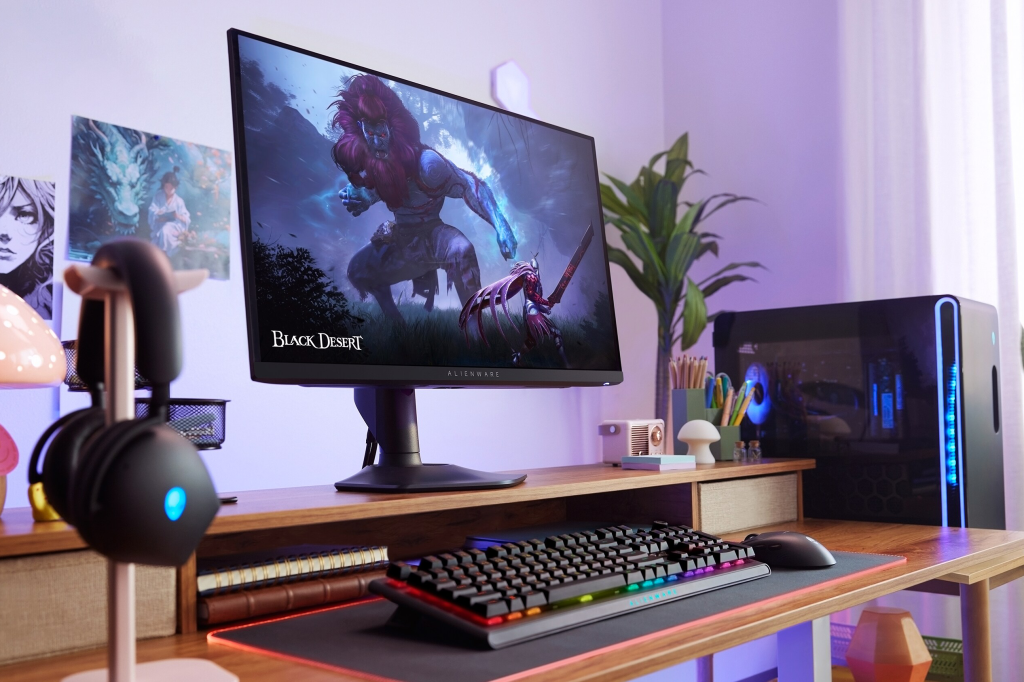
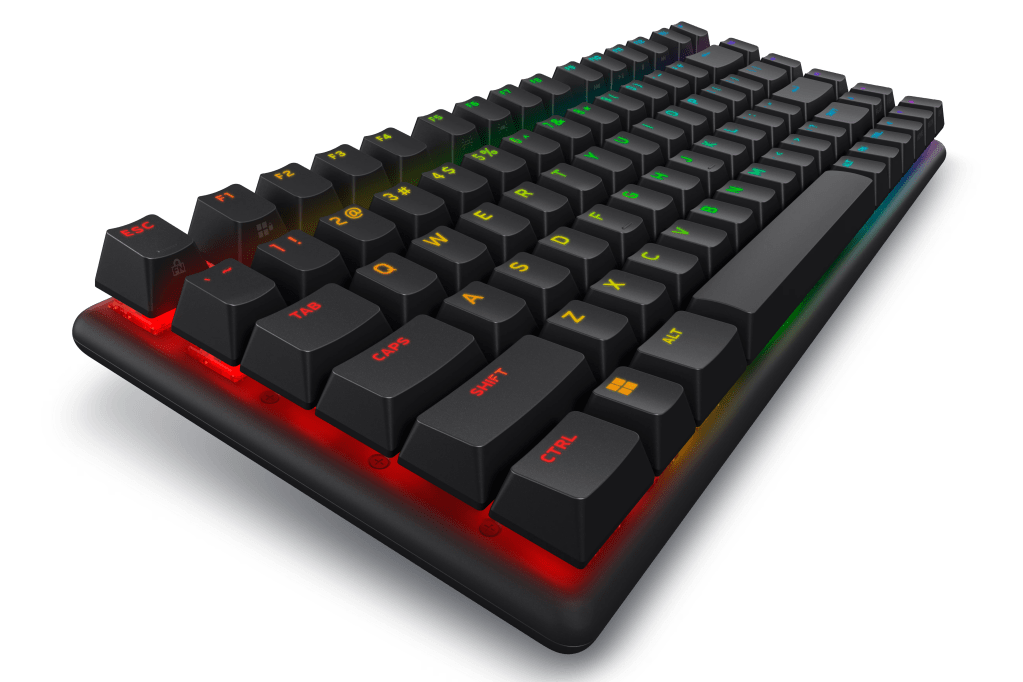
Alienware Pro Wireless Gaming Keyboard (545-BBFQ) – pictured
A compact form-factor mechanical keyboard with multi-mode wireless and long battery life.
– 75% layout with Alienware linear mechanical switches
– 2.4GHz wireless, Bluetooth 5.1 and USB wired
– Per-key AlienFX RGB lighting; 5 onboard profiles
– Battery: up to 72 hours (RGB 50%) / up to 798 hours (RGB off)
– PBT double-shot keycaps; N-key rollover
– 2-year limited warranty
£190 inc VAT
Go Pro with Dell business laptops
Alongside its consumer range, Dell also sells a dedicated line of business laptops through its Dell Pro family, designed for professional productivity, security and manageability.
Dell Pro – for everyday business use
Dell Pro laptops focus on reliable performance and business-ready features.
Who it’s for: Office workers, mobile professionals, small businesses
Who it’s not for: Gamers, creatives running specialist workloads, casual home users
Explore: Dell Pro laptops
Dell Pro Plus and Pro Premium – for higher-end business needs
Dell also offers Pro Plus and Pro Premium tiers for organisations that want more advanced configurations and enterprise-focused options.
Who it’s for: Teams needing more performance, security and IT features
Who it’s not for: Buyers who don’t need business-grade tools or support
Explore: Dell Pro Plus | Dell Pro Premium
Dell
FAQ
What’s the difference between Dell and Alienware?
Dell is a global computer manufacturer offering laptops, desktops, monitors and accessories designed primarily for productivity, study and general use.
Alienware is Dell’s gaming-focused brand, specialising in high-performance gaming laptops, desktops and displays designed for demanding graphics and higher refresh rates.
Is Alienware only for hardcore gamers?
Alienware devices are designed primarily for gaming performance, including discrete NVIDIA GeForce RTX graphics and cooling systems built for sustained workloads.
While they are aimed at gamers, some creators and performance-focused users may also choose Alienware systems for graphics-intensive tasks. Compared with non-gaming laptops, they are typically larger and prioritise performance over battery life and portability.
What’s the difference between Dell XPS and Dell consumer laptops?
Dell XPS is Dell’s premium consumer laptop range, designed for users who want higher-end build quality, display options and performance for work, study and creative tasks.
Dell consumer laptops are Dell’s mainstream range, designed for everyday productivity, browsing, streaming and general home use, often at more accessible price points.
Which Dell range is best for everyday tasks?
Dell’s mainstream consumer laptops, including models such as the Dell 16 Laptop (CNDC1625601SC and BNDC1625003SB), are typically suited to everyday tasks such as browsing, streaming, schoolwork and general home use.
These models offer integrated graphics and 16-inch display options, with multiple processor configurations depending on the specific SKU.
Are Dell monitors worth considering for home working?
Dell monitors include productivity-focused models such as the Dell UltraSharp 52 Thunderbolt Hub Monitor (U5226KW), designed for multitasking and hub-style connectivity, as well as higher-refresh models like the Dell 24 240Hz Monitor (SE2426HG).
For home working, features such as USB-C or Thunderbolt connectivity, larger screen sizes and eye comfort certifications can make a practical difference to everyday use.