Sponsored by MSI
The MSI AI PC Buyer’s Guide: From Mini AI PCs to Powerful AI Workstations
Efficient, scalable, and ready for AI. Explore how MSI’s line-up – from Mini PCs to powerful workstations – adapts to every level of performance need.
Published by PCWorld on April 1, 2026.
AI-ready PCs are redefining what computers can do, and MSI delivers that capability across a range of form factors – from ultra-compact mini PCs to full desktop workstations.
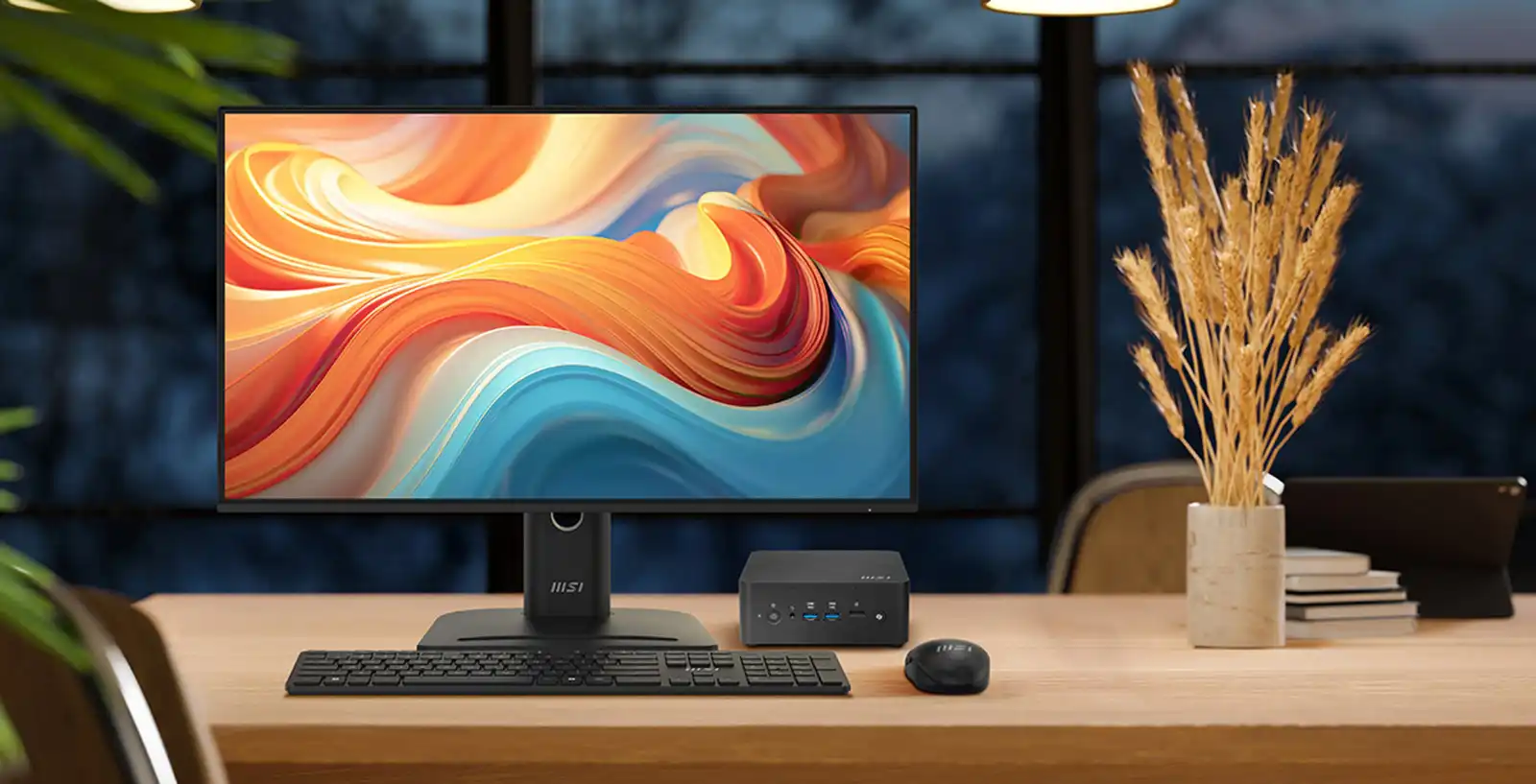
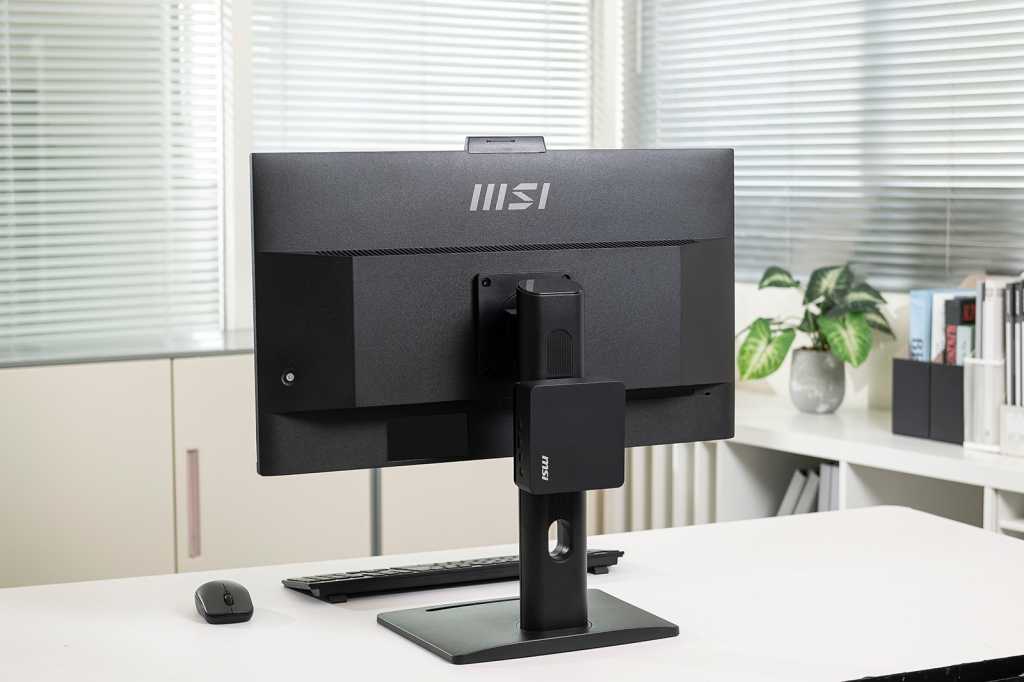
Mini PCs have evolved, now able to rival full desktop machines at a fraction of their size. When desk space is at a premium, and you need a system that runs quietly and efficiently but also packs a punch, MSI’s Cubi mini PCs deliver desktop performance in a chassis about the size of a paperback book. Easily mountable to your monitor, they are small enough to be tucked away out of sight.
Built for anyone who demands reliability without the bulk – from mini PC enthusiasts and home users working remotely, to healthcare, educational, and IT professionals, system integrators, and SMBs – the Cubi line-up highlights what compact computing can offer.
Each model features modern Intel® Core™ Ultra processors, including Panther Lake and Lunar Lake platforms, and is capable of driving multiple displays while maintaining efficient, low-power operation designed for continuous use.
As workloads become more complex, larger desktop systems provide additional graphics performance, expansion options, and processing power. MSI’s PC line-up includes AI-ready desktops and business monitors – creating a scalable range of systems that runs from ultra-compact PCs through to full desktop workstations, each suited to different workloads and environments.
MSI
MSI AI-Ready Desktops – Overview
How to Choose a Mini PC (or When to Consider a Desktop)
Most users will opt for a mini PC over a traditional desktop tower because they are short on desk space or want to minimize clutter. But mini PCs also offer increased power efficiency, run cooler and quieter, are simpler to maintain and upgrade – often with tool-free access to memory and storage – and their smaller footprint makes it easier to move them from one workstation to another. If you choose the right mini PC, they can also rival a traditional desktop machine on performance.
So, how do you choose the right mini PC? Start with performance – you want a PC that is both powerful and future-proof, and can balance speed with power efficiency. MSI’s AI+ and AI Cubi mini PCs feature the latest Intel® Core™ processors with built-in NPUs that unlock on-device AI for superior multitasking. These chips boost processing speed, accelerate system performance, and deliver real-time AI enhancements to your overall computing experience. Their integrated graphics are also plenty capable for driving multiple 4K displays.
Next, consider what the mini PC is going to be tasked with. For everyday office tasks, you could trade off some processing speed for reduced power draw. For creatives or those who dabble with data, you’ll want lots of memory, and a device that runs super-cool. If you’re sharing an office space, look for an ultra-low-power processor that runs quietly, and for long periods.
For more demanding workloads including video production, 3D design, and data analysis, a larger desktop with discrete graphics may be the better choice. These systems offer greater performance potential, additional memory capacity, and more expansion options.
Finally, consider where your PC will live. If you want a tidy workspace, a VESA-mountable mini PC can be hidden behind your display. If raw power matters more, a compact desktop tower may be the better fit for your needs.
MSI
Choose Your MSI Cubi Mini PC or AI-Ready Desktop
| Problem | Solution | Why It Works |
|---|---|---|
| My desk is small but I still want the newest and most powerful mini PC available | Cubi NUC AI+ 3MG | MSI’s newest Cubi model runs Intel’s latest Panther Lake processor in an ultra-compact chassis that can be mounted behind a monitor. It supports multiple displays and delivers strong performance without taking over your desk. |
| I spend a lot of time on video calls and want a compact PC that includes collaboration features | Cubi NUC AI+ 2MG | Adds a built-in microphone, speaker and physical Copilot button, reducing the need for extra accessories in meeting-heavy work environments. |
| I want a tiny PC that I can upgrade later if my needs grow | Cubi NUC AI 1UMG | Uses standard DDR5 SO-DIMM memory and supports up to 64GB of RAM, giving this compact PC more upgrade flexibility than many mini PCs. |
| My work involves design software, video editing, or other graphics-heavy tasks | MSI PRO DP180 AI | Adds discrete graphics and more internal expansion, giving creative applications the extra performance they need. |
| I need a workstation-style PC for demanding professional work | MSI PRO DP400 AI | A larger desktop built for high-performance applications, with stronger graphics options and more room to expand. |
| I want a clean workspace with fewer cables and better ergonomics | MSI PRO MP273Q E14 | A 27-inch monitor with VESA mounting and built-in speakers that pairs well with compact PCs, helping to create a tidy, space-efficient workstation. |
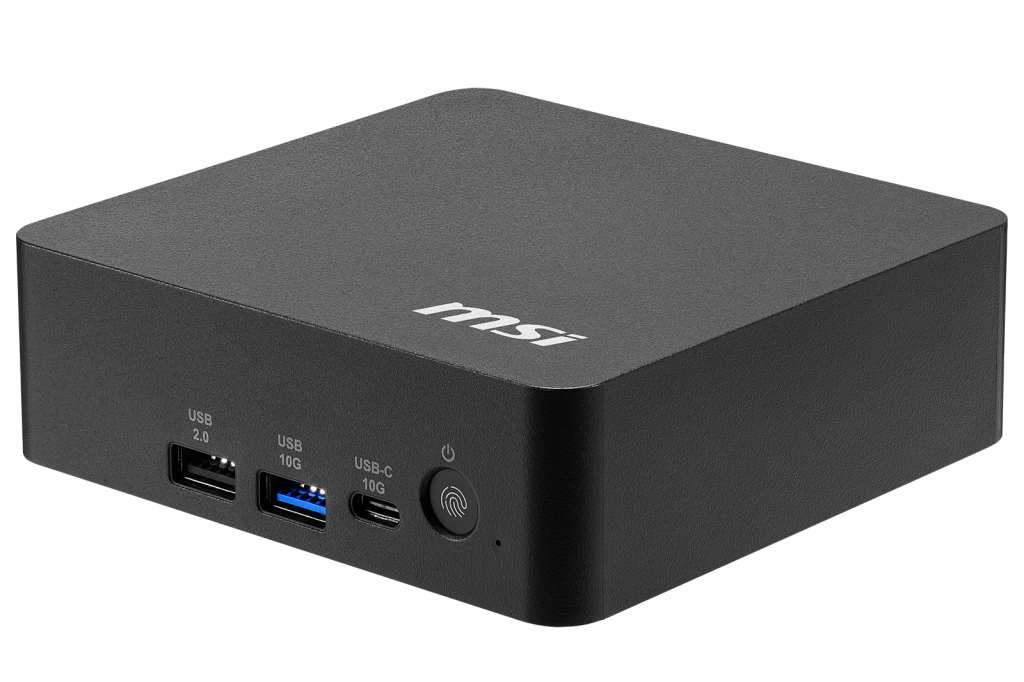
Cubi NUC AI+ 3MG – best for cutting-edge performance in an ultra-compact PC
MSI
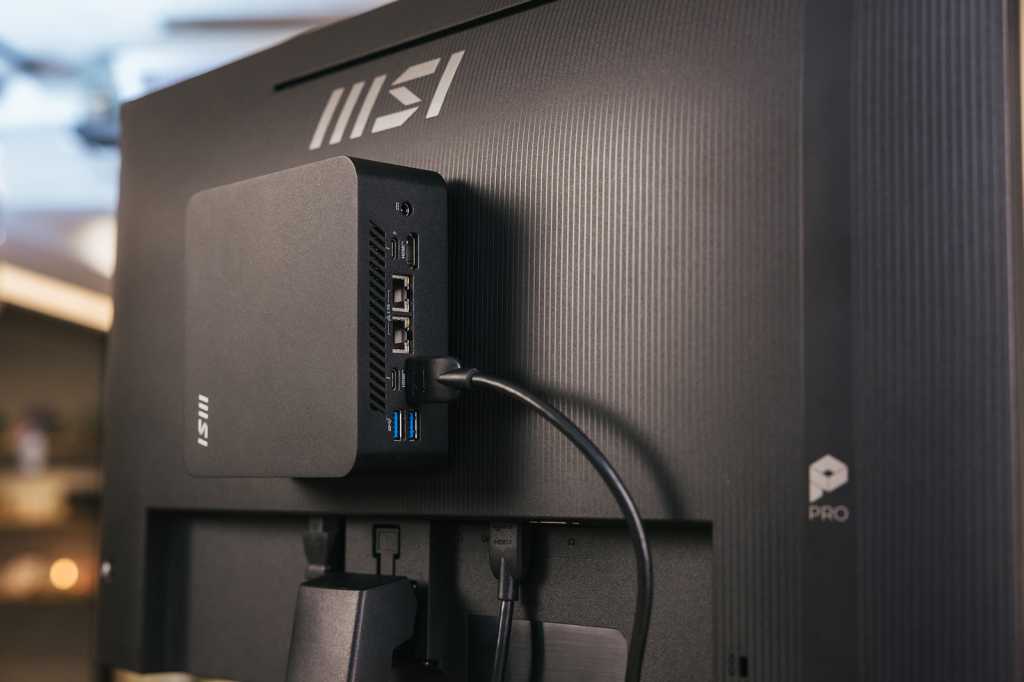
The Cubi NUC AI+ 3MG is the best fit for buyers who want a very small PC but do not want that small size to feel like a compromise. It is MSI’s newest ultra-compact Cubi, built around Intel’s Panther Lake platform with integrated AI acceleration and support for up to four displays. Despite its tiny footprint, it offers fast networking, enterprise-grade security features, and the kind of performance most everyday business workloads require.
What helps the 3MG stand out is how much capability MSI has packed into a chassis that can disappear behind a monitor. The system is designed for continuous operation with very low power consumption, making it well suited to offices, kiosks, healthcare workstations, and other environments where PCs are expected to run reliably for long periods without drawing a lot of energy or requiring manual maintenance.
It is ideal for users who want an AI-ready mini PC that takes up almost no space but still handles everyday productivity, collaboration tools, dashboards, and multi-display setups with ease. It is not the right pick for buyers who know they need discrete graphics or workstation-level expandability. Why choose it now? Simple: this is the newest Cubi platform, combining MSI’s smallest form factor with the latest Intel architecture and modern connectivity features.
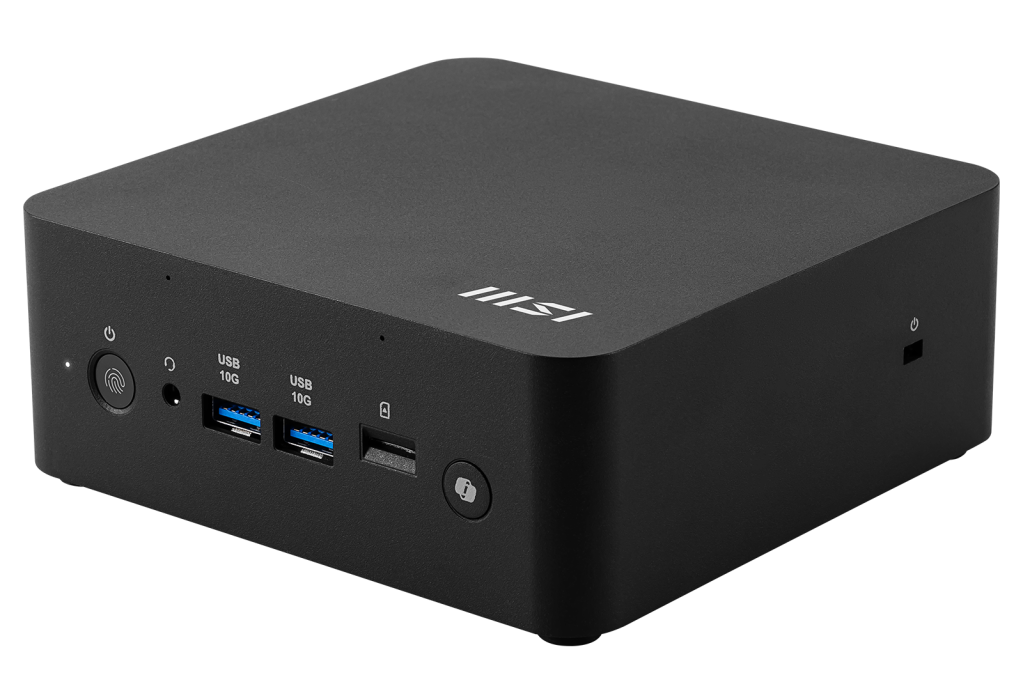
Cubi NUC AI+ 2MG – best for AI-enhanced productivity and multitasking
MSI
The Cubi NUC AI+ 2MG is a compact Copilot+ mini PC designed for hybrid work environments. Built around Intel’s Lunar Lake platform with integrated AI acceleration, it combines strong everyday performance with features aimed at collaboration-heavy workflows. Despite its small size, it supports multiple displays, fast networking, and the kind of responsiveness most office applications require.
Where the 2MG distinguishes itself is in the way it integrates collaboration tools directly into the system. There is a built-in microphone and speaker, along with a dedicated Copilot button and NPU-accelerated AI features, and these will be beneficial for those who make a lot of video calls or frequently carry out transcription or AI-assisted productivity tasks. Like the other Cubi systems, it is designed for continuous operation while maintaining low power consumption.
It is a strong fit for users whose daily work revolves around meetings, collaboration platforms, browser-based workflows, and AI-assisted productivity tools. It is less suited to buyers who prioritize upgradeable memory over integrated features. Why choose it now? Because it delivers a compact Copilot+ desktop experience that simplifies everyday work while keeping desk space and energy use to a minimum.
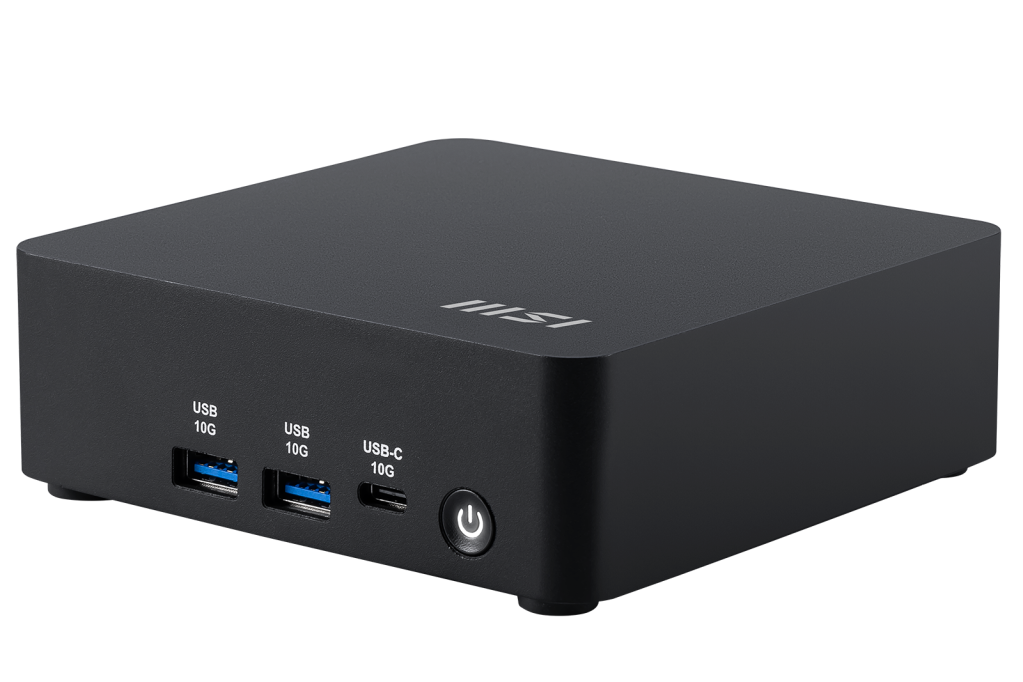
Cubi NUC AI 1UMG – best for powerful computing in tight workspaces
MSI
The Cubi NUC AI 1UMG is designed for buyers who want a tiny business PC but still value long-term flexibility. Like the newer Cubi models, it fits inside an ultra-compact chassis that can be mounted behind a display or tucked out of sight, while still providing the performance needed for everyday office tasks or running multiple displays.
Its key advantage is upgradeability. Unlike many mini PCs that use fixed memory, the 1UMG supports standard DDR5 SO-DIMM memory up to 64GB, allowing you to expand capacity as required. It also natively supports up to four displays and fast networking, making it practical for multitasking setups such as dashboards, reception desks, classrooms, and control stations.
This mini PC is built to run quietly and efficiently for extended periods, making it a good fit for offices and business environments where reliability and low power consumption matter. It is not the best option if your priority is the newest Cubi platform or integrated collaboration hardware. Why choose it now? Because it combines the same ultra-compact footprint as MSI’s newest mini PC with upgrade options that extend its expected lifespan.
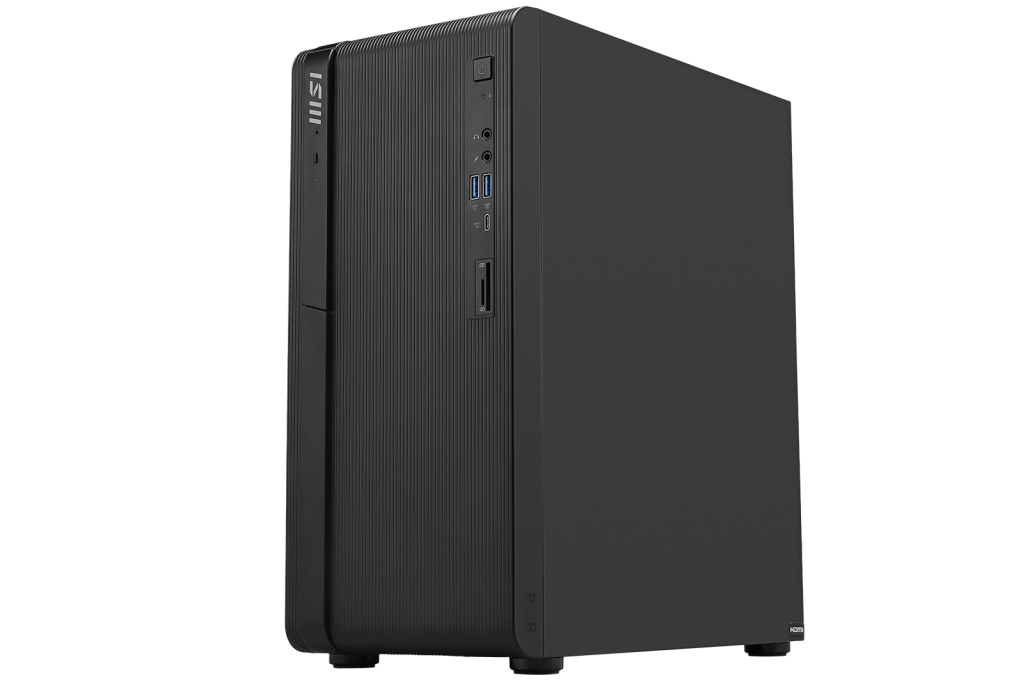
MSI PRO DP180 AI – best for creative work and accelerated graphics performance
MSI
The PRO DP180 AI shifts the focus from ultra-compact computing to stronger graphics and processing performance. While still smaller than a traditional tower, it is a more capable desktop designed for creative workloads and visually demanding applications. With discrete NVIDIA graphics options and a modern Intel processor platform, it is well suited to users whose work goes beyond everyday office tasks.
Compared with the Cubi mini PCs, the DP180 provides more room for expansion and sustained performance for tasks such as video editing, streaming, and other graphics-accelerated applications. Additional storage options and higher memory capacity also make it a practical choice for those working with larger files.
The PRO DP180 AI is aimed at creative professionals, advanced office users, and businesses that need stronger graphics capability without stepping up to a full workstation. It is not intended for people whose top priority is saving desk space. Why choose it now? Because many of today’s creative tools and AI-assisted applications will benefit from GPU acceleration, and the DP180 offers that capability in a compact, scalable desktop design.
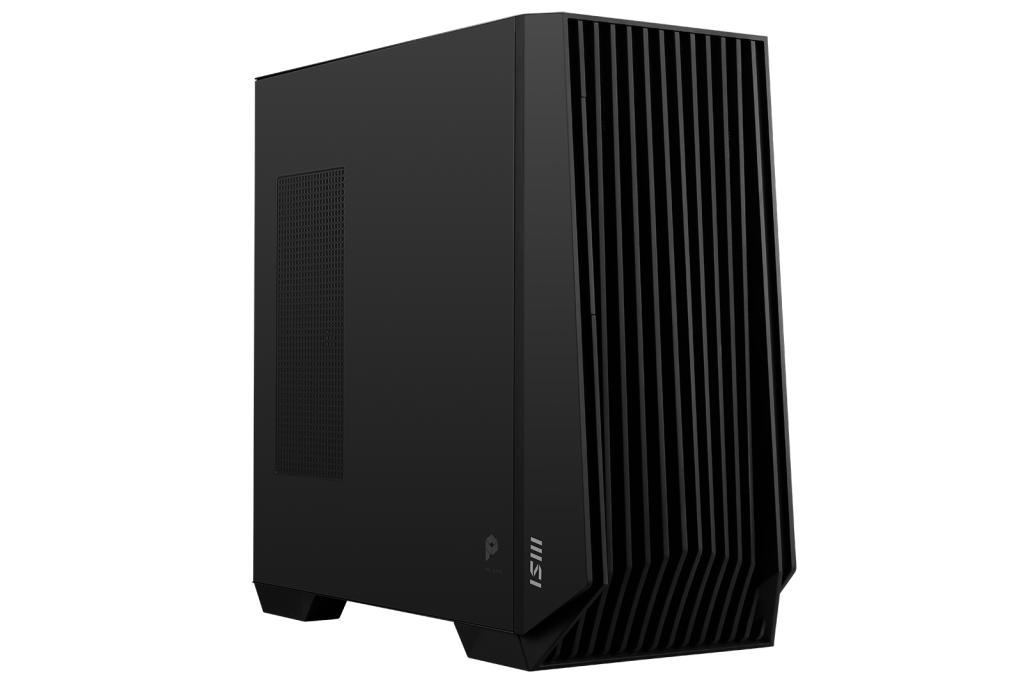
MSI PRO DP400 AI – best for advanced AI workloads and professional computing
MSI
The PRO DP400 AI is the most powerful system in this guide and is designed for much more demanding workloads than a mini PC can deliver. Built around Intel’s Core Ultra platform and specced out with powerful NVIDIA RTX graphics, it is intended for those who deem sustained performance and expansion capacity essential.
This workstation-class desktop is capable of handling demanding tasks such as engineering software, complex simulations, advanced rendering, and AI-assisted development. Higher memory capacity, multiple expansion options, and stronger graphics acceleration give it the power required for professional users who run heavy workloads for extended periods of time.
It is designed for engineers, researchers, designers, and content creators whose projects require serious computing power and scalable hardware. It is not meant for buyers who simply want a quiet everyday office PC or a space-saving mini PC. Why choose it now? Today’s professional workflows increasingly depend on the GPU acceleration and AI-driven tools that this DP400 is designed to reliably deliver.
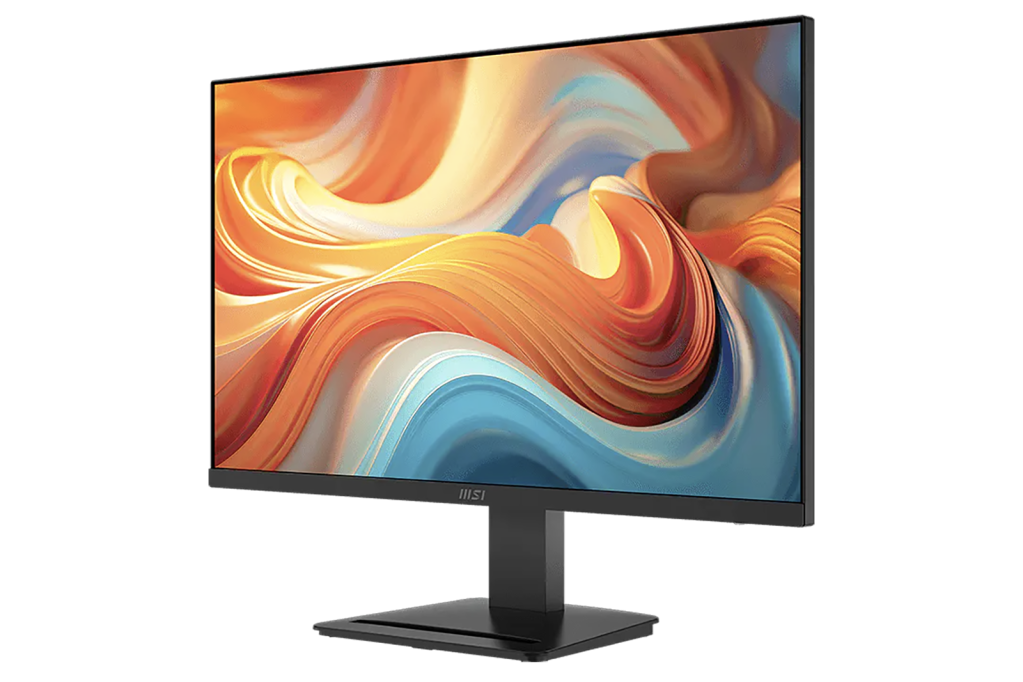
MSI PRO MP273Q E14 – best for a clean, productive workstation
MSI
While this PRO MP273Q E14 monitor is clearly not a PC, it is an essential component for any decent PC workspace. Pairing a Cubi mini PC with a monitor designed for productivity helps you to achieve cleaner cable management, easier VESA mounting, and also have fewer accessories cluttering the desk. This monitor also supports MSI Power Link, allowing a compatible mini PC to be powered on directly from the display – helpful if it’s tucked out of sight and not easily accessible.
The 27-inch QHD IPS panel balances screen space with clarity for everyday tasks such as editing documents and spreadsheets. A 144Hz refresh rate returns smooth motion for scrolling and entertainment, while MSI’s EyesErgo tech helps to reduce eye strain during extended sessions.
This display is aimed at users who want a straightforward, reliable monitor that supports productivity while helping to keep their workspace organized. Built-in speakers and Power Link support are ideal for desks short on space by reducing the need for extra cables and peripherals. The E14 is not designed for color-critical production work, but for most homes or offices it is a practical upgrade that complements MSI’s mini PCs.
Which MSI PC Should You Choose?
If you want the newest ultra-compact mini PC with the latest AI features, choose Cubi NUC AI+ 3MG.
If you want a compact Copilot+ PC designed for AI-assisted productivity, choose Cubi NUC AI+ 2MG.
If you want a tiny PC that can be upgraded later as your needs grow, choose Cubi NUC AI 1UMG.
If you need more graphics performance for creative applications or heavier multitasking, choose MSI PRO DP180 AI.
If you are running demanding workloads, choose MSI PRO DP400 AI.
If you want a clean, space-saving workstation with a high-quality display, pair your system with MSI PRO MP273Q E14.
MSI
FAQ
What advantages do MSI PCs offer?
MSI’s PCs are designed with long-term reliability and support in mind. Depending on the model and configuration, that can include enterprise-grade warranty coverage, U.S.-based service and support, and options to customize systems to specific business needs. MSI also highlights compliance with standards such as TAA and sustainability initiatives, which may be important for organizations with procurement or environmental requirements.
What is the main benefit of a mini PC over a traditional desktop?
Space efficiency. A mini PC can be VESA-mounted behind the monitor or tucked away to free up desk space and reduce cable clutter. MSI’s Cubi systems offer a smaller footprint without dropping down to entry-level performance.
Are mini PCs powerful enough for office work?
Yes, for most users. Everyday tasks such as document editing, video calls, and interacting with dashboards and collaboration tools are bread and butter for MSI’s Cubi NUC AI PCs.
What is the difference between the Cubi NUC AI+ 3MG, AI+ 2MG, and AI 1UMG?
The Cubi NUC AI+ 3MG is the newest ultra-compact mini PC from MSI, and is built on Intel’s latest Panther Lake platform. The Cubi NUC AI+ 2MG runs a previous-gen Lunar Lake chip and focuses on AI-assisted productivity with a built-in microphone, speaker hardware and Copilot features. The Cubi NUC AI 1UMG uses an earlier Core Ultra platform but supports DDR5 SO-DIMM memory, allowing upgrades up to 64GB if you need that later.
When should I choose a desktop tower instead of a mini PC?
A desktop tower makes sense if your work demands very strong graphics performance, or more internal expansion. Perhaps you are regularly running creative applications that benefit from a discrete GPU, or for you multitasking is a way of life. This is where the PRO DP180 AI and PRO DP400 AI fit in to MSI’s line-up.
What does MSI Power Link do?
MSI Power Link allows a compatible MSI mini PC to be powered on directly from a supported MSI monitor using HDMI CEC. This makes it much easier to operate a mini PC that is tucked out of sight where its power button may not be easily accessible.
Is multi-display support important for a mini PC?
Multi-monitor setups are very common for remote workers and in office setups. Multiple displays make it easier to multitask and simultaneously monitor dashboards, manage spreadsheets, and keep communication tools visible.
Do these systems include business security features?
Yes. Depending on the model, MSI includes features such as fingerprint login, dTPM support, Kensington lock compatibility, and in some desktop models padlock support. The exact combination varies by system, but the line-up is designed with business and enterprise deployments in mind.