
Sponsored by GIGABYTE
The GIGABYTE AI Gaming Laptop Buyer’s Guide
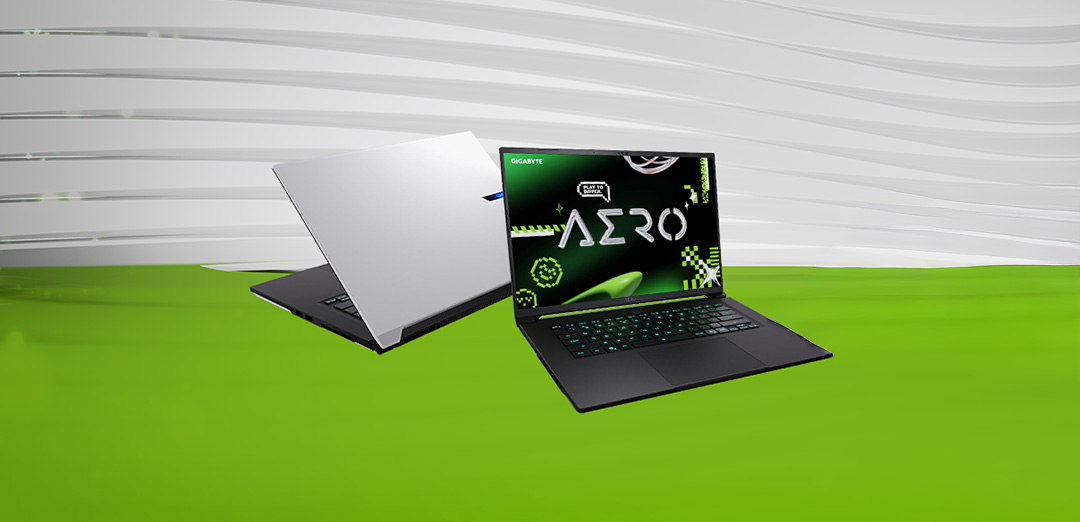
Unleash the GIGABYTE AERO X16, featuring the cutting-edge NVIDIA® GeForce RTX™ 50 Series Laptop GPU, designed to game, create or entertain – on the go.
Published by PCWorld on March 5, 2026.
Laptops today are more than just gaming machines. GIGABYTE’s AI-Powered GIGABYTE AERO X16 series is designed for multi-scenario users – gamers, creators, hybrid workers, and developers. These laptops combine high-performance GPUs, powerful CPUs, long battery life, and AI-assisted software to deliver seamless performance across gaming, content creation, productivity, and coding.
GIGABYTE AERO X16 – Overview
Choosing the Right AI Gaming Laptop
Finding the perfect AI laptop requires attention not only to gaming performance, but also to multi-scenario capabilities. While graphics cards remain essential, modern users increasingly value strong content creation, productivity, and coding performance alongside gaming power.
The GPU plays a central role in this balance. NVIDIA® GeForce RTX™ 50 Series Laptop GPUs are well suited for both gamers and creators, offering configurations that range from budget-friendly to premium. For demanding games, 4K content creation, and AI-assisted workflows, choosing the most powerful GPU within your budget ensures better long-term performance.
Display quality is equally important. OLED or high-refresh-rate IPS panels (120Hz or higher) provide vibrant colors, fast response times, and sharp visuals. A 4K display is ideal for creative professionals if supported by sufficient GPU performance, while 1080p or 1440p resolutions offer a practical balance between clarity and efficiency. Larger screens enhance immersion but may impact portability and battery life.
Core hardware should meet modern performance standards. At minimum, a quad-core processor with Hyperthreading, 16GB of RAM, and a 512GB SSD are recommended. For future-proof performance, a six-core CPU, 32GB RAM, and a 1TB SSD provide greater flexibility for intensive workloads.
Keyboard and input quality also matter. N-key rollover helps prevent missed inputs during fast-paced use. While mechanical switches are uncommon in laptops, a well-designed keyboard remains important. For users who rely on an external mouse, the trackpad becomes less critical.
Finally, intelligent AI tools enhance multi-scenario performance. With GiMATE 1.1, users can switch between Auto, Optimus, and Eco modes to optimize performance and battery life for gaming, productivity, or creative tasks. GiMATE Creator enables on-device AI content generation, while GiMATE Coder accelerates development through AI-assisted prompts and auto-completion.
Why your next laptop should be powered by GeForce RTX™ 50 Series
The NVIDIA® Blackwell architecture paired with GeForce RTX™ 50 Series GPUs delivers multi-scenario performance: gaming, creative work, and AI-assisted workflows.
At the forefront is NVIDIA DLSS 4 technology, a revolutionary suite of neural rendering technologies that uses AI to boost FPS, reduce latency, and improve image quality. The latest innovation brings new Multi Frame Generation and enhanced Ray Reconstruction and Super Resolution, powered by GeForce RTX 50 Series GPUs and fifth-generation Tensor Cores.
The GeForce RTX 50 Series also takes Ray Tracing to the next level. 4th Generation RT Cores provide double the ray-triangle intersection throughput compared to previous generations, ensuring that real-time ray tracing in the GIGABYTE AERO X16 is more efficient than ever Gamers will benefit from NVIDIA Reflex for ultimate responsiveness. This means faster reaction times, better target acquisition, and pinpoint aim precision.
Beyond gaming, these laptops are built for creators. NVIDIA Studio drivers unlocks professional-grade performance for video editing, 3D rendering, and graphic design, with RTX acceleration in top creative apps and continually optimized Studio drivers for stability. Combined with Max-Q technology, which maximizes efficiency and battery life, laptops powered by NVIDIA Blackwell deliver a perfect balance of raw power and portability. Whether you’re gaming, creating, or multitasking, the GeForce RTX 50 Series ensures you’re ready for the future.
Creative Work: RTX™ 50 Series with Studio Drivers accelerates 4K video editing, 3D rendering, and graphic design. NVIDIA Studio drivers provide professional-grade stability and performance through continuous optimization and extensive testing with the world’s top creative applications.
Multi-Scenario & AI Workflows: With GiMATE 1.1, Creator, and Coder, users can seamlessly switch from gaming to video editing, AI content creation, and coding, making RTX 50 Series laptops true all-in-one multi-scenario devices.

GIGABYTE
Choose your GIGABYTE AERO X16 Gaming Laptop
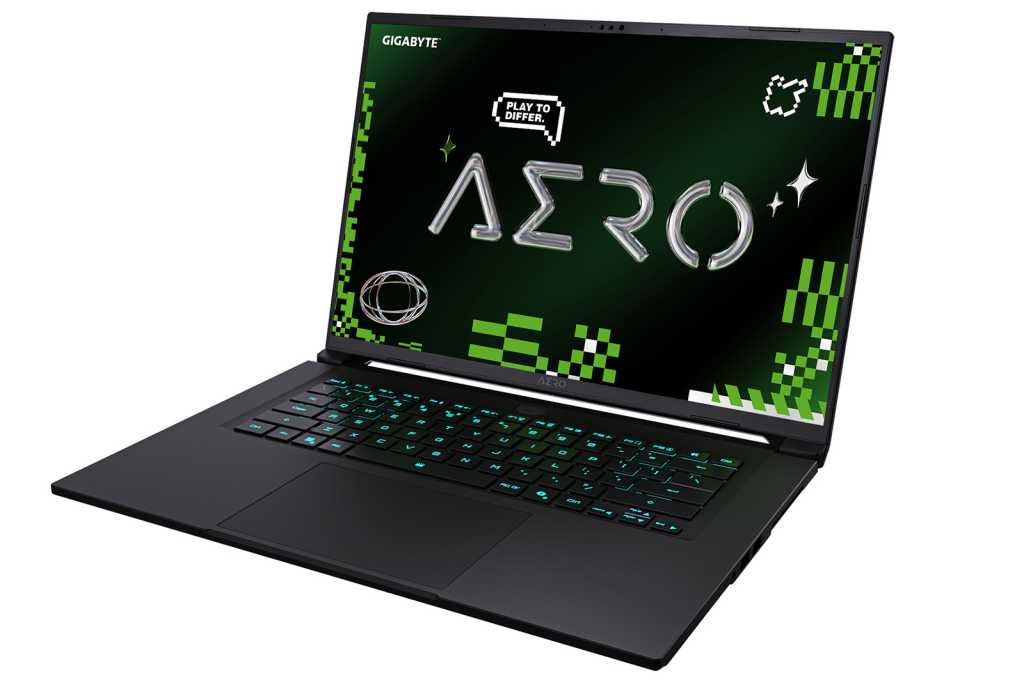
GIGABYTE AERO X16, Ryzen AI 7 350, GeForce RTX 5070, 1TB SSD, 16GB DDR5 RAM – for gamers who demand ultimate performance
GIGABYTE
The AERO X16 is a premium laptop designed to deliver exceptional performance for demanding users. Powered by the advanced AMD AI 7 350 processor and the powerful GeForce RTX 5070 GPU with 8GB of high-speed GDDR7 VRAM, it offers superior graphics capabilities for intensive gaming and creative applications. This powerful combination enables ultra-fast rendering, real-time ray tracing, and AI-driven optimizations, ensuring smooth and efficient workflows.
Despite its muscle, the AERO X16’s neural processor and AI optimizations stretch the 76Wh battery up to 14 hours, so you can stay unplugged longer.
The latest GeForce RTX 50 Series Laptop GPU redefines performance with advanced technologies that elevate every experience. Featuring DLSS 4 for AI-powered frame generation, it delivers ultra-smooth gameplay even in the most demanding titles. Real-time Ray Tracing brings cinematic lighting and shadows to life, while RTX AI acceleration supercharges creative applications for faster rendering and smarter workflows.
The 16-inch WQXGA IPS display (2560×1600) offers a 165Hz refresh rate, 3ms response time, and 400 nits brightness, perfect for vibrant colors and fluid gameplay. Combined with Dolby Atmos audio, the AERO X16 delivers immersive experience for gaming, creativity, and productivity.
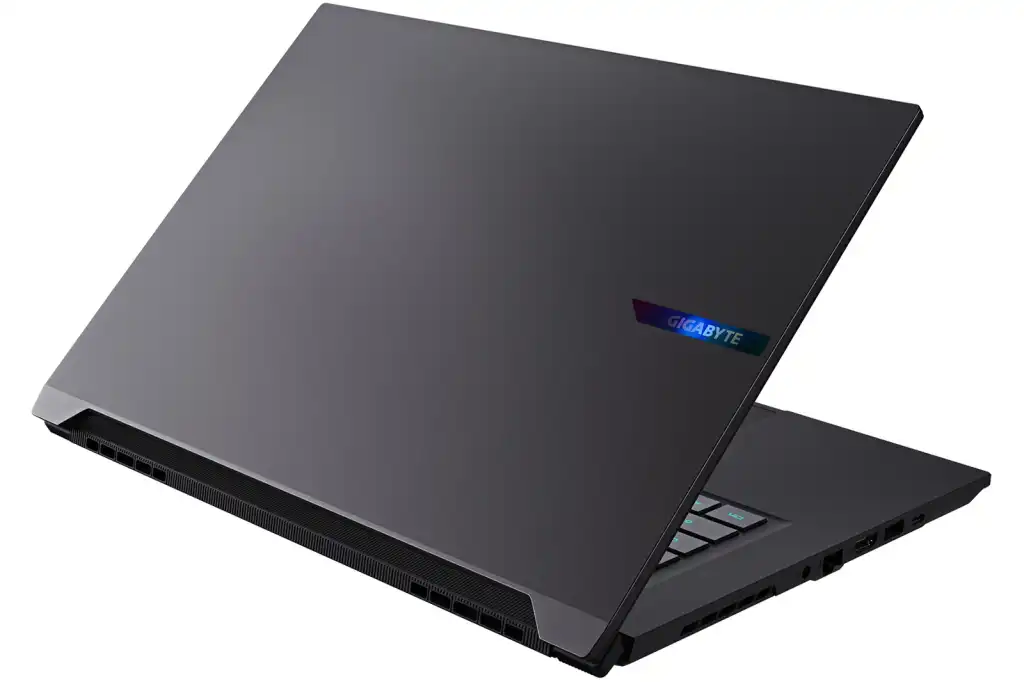
GIGABYTE AERO X16, Ryzen AI 7 350, GeForce RTX 5050, 1TB SSD, 16GB DDR5 RAM – for creators who demand ultimate portability
GIGABYTE
This is the same laptop as the one on the left in every way apart from its GPU: this GIGABYTE AERO X16 gaming laptop selects the GeForce RTX 5050 in place of the GeForce RTX 5070, which leads to a $300 saving on the overall price of the laptop.
If you’re searching for the ultimate value in your next laptop, the GeForce RTX 5050 offers exceptional performance for smooth 1080p gaming and even handles 1440p with a few tweaks. It’s perfect for those who want power without overspending. For users seeking extra headroom, the RTX 5070 delivers more muscle, reducing reliance on AI upscaling for a premium experience without the premium price tag. For creators on the move, the AERO X16 strikes the perfect balance of portability and performance. Ideal for demanding projects without sacrificing mobility.
The GeForce RTX 5050 is designed for smart performance and extended mobility. With fewer CUDA cores, lower power consumption, and reduced heat output, this GPU minimizes strain on your system while maximizing battery life. The result? Up to 14 hours of runtime on a single charge, making it the ideal choice for professionals and gamers who need a lightweight laptop that keeps up with their schedule.
Like its sibling, this variant of the GIGABYTE AERO X16 comes in two striking colorways – Space Gray or Lunar White – and each features an iridescent nameplate on the lid.
GiMATE Delivers a Seamless AI Experience
GIGABYTE, the world’s leading computer brand, unveils an expanded AI PC vision with a redesigned GiMATE Interface and a new generation of AI gaming laptops at CES 2026. Built for clearer navigation and faster decision-making, the updated GiMATE experience brings real-time system insights and intuitive, voice-driven control into one streamlined hub, advancing GIGABYTE’s commitment to truly adaptive, user-centric AI computing across its laptop lineup.
GiMATE 1.1 introduces a redesigned user interface that makes navigation clearer and system controls more intuitive. It brings real-time system insights, smarter workflows, and a more user-centric experience into one streamlined hub, including improved voice-driven control (“Press and Speak”) so users can interact naturally with the laptop.
The new AI Power Gear III in GiMATE 1.1 enhances power behavior with smarter performance tuning and flexibility:
· Auto Mode: Automatically disables the discrete GPU when on battery to maximize runtime.
· Optimus Mode: Balances performance and power for everyday use.
· Eco Mode: Provides extreme power savings on both AC and battery.
· Direct MUX Switching: Simplifies switching between discrete GPU and hybrid modes for optimized performance/power trade-offs.
GiMATE 1.1 expands visual AI generation capabilities with GiMATE Creator. It now supports additional models such as Qwen-Image, allowing users to generate visual content using English and Chinese prompts. This lets creators bring powerful on-device generative AI tools to work for image creation and editing without relying on cloud processing.
GiMATE Coder/AI lowers the barrier to development with AI-assisted tools that enable:
· Natural-language code generation
· Code correction and optimization
· Faster iteration for both beginners and experienced developers
This makes coding more accessible while maintaining performance and security on-device.
Expanded AI Capability Beyond Power Management
GiMATE 1.1 continues to integrate multiple AI systems such as AI Voice (voice-driven control), AI Audio, AI Privacy, and Smart Cooling, creating a more adaptive AI ecosystem that optimizes performance, audio, and privacy based on usage.

GIGABYTE