
In summary:
- PCWorld reports that Microsoft is rolling out redesigned contact profiles for Outlook on the web and Windows app users.
- The update introduces enhanced search capabilities allowing users to filter contacts by job title, department, city, and notes for faster identification.
- New color-coding features enable better visual organization of contacts, significantly improving the overall ‘People in Outlook’ experience for Microsoft 365 users.
Microsoft was originally supposed to launch new contact profiles in the Outlook app by February, but ended up postponing the launch. Now, in an Outlook Blog post, the company has released a detailed look at the desktop version of the new feature as well as announcing that it’s now being rolled out in the web version of Outlook.
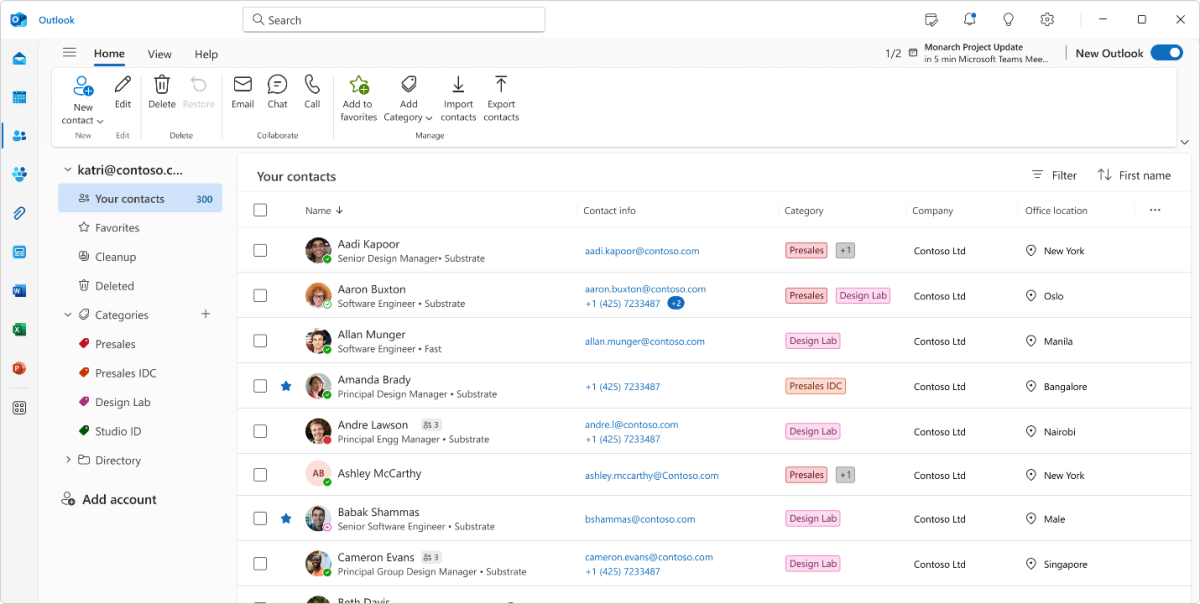
Microsoft
With these new contact profiles, you’ll not only be able to search for contacts by name and email address, but also by details such as job title, company department, the city where the contact works, or any notes you’ve added. You can also color-code contacts for a clearer overview.
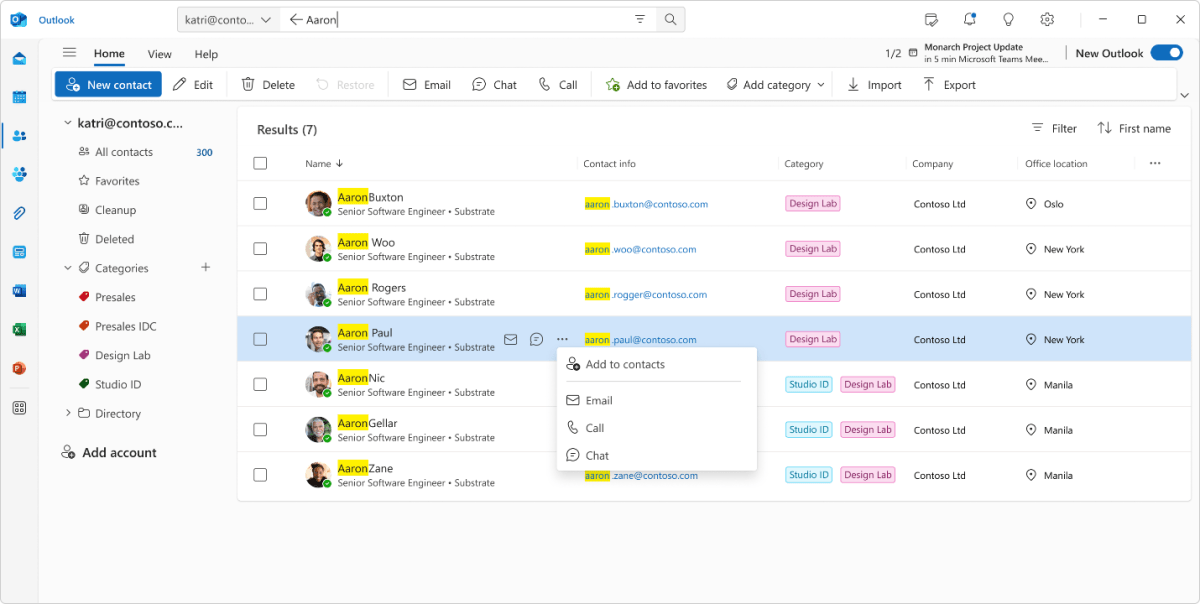
Microsoft
You should be able to quickly find contacts in different categories by simply starting to type, for example, a city or department in the search bar, or by using the new filters in the contacts menu:
The new People in Outlook features a powerful, intelligent search experience that puts every contact at your fingertips – instantly. Simply start typing a name, location, job title, department, or even a personal note you’ve added, and People in Outlook surfaces the right person immediately. No more drilling through layers of org charts or scrolling through alphabetical lists. Just type, find, and connect.
The new contact profiles in Outlook are now available in the email client’s new Windows app and have also begun rolling out to Outlook on the web for all Microsoft 365 users.
This article originally appeared on our sister publication PC för Alla and was translated and localized from Swedish.